Product Overview
Schneider Electric HMIPUH6A0701 Original Industrial Spare Magelis Compatible: System Stability & Industrial Spare Maintenance Value
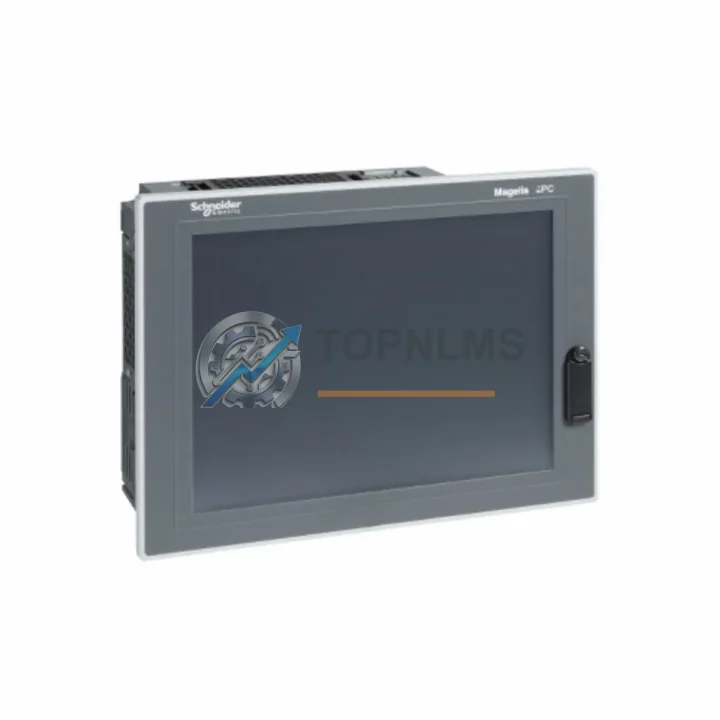
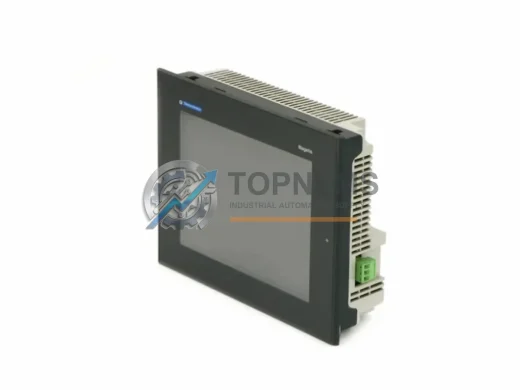
The Schneider Electric HMIPUH6A0701 is a Magelis Panel PC Universal 7″ HMI designed for demanding industrial automation environments. As a critical human-machine interface component, it serves as the operator’s primary window into PLC and DCS control systems across manufacturing, process control, utilities, and infrastructure facilities. Sourced as an original spare part, the HMIPUH6A0701 ensures full compatibility with existing Schneider Electric Magelis architectures, eliminating integration risk and reducing commissioning time during emergency replacements or planned maintenance shutdowns.
In modern industrial facilities, unplanned downtime caused by HMI failure can cascade into significant production losses. Maintaining a verified original spare of the HMIPUH6A0701 in your maintenance inventory is a proven strategy for reducing mean time to repair (MTTR) and sustaining continuous operations. Whether your facility runs a Modicon M340, M580, Premium, or Quantum PLC platform, the Magelis HMIPUH6A0701 integrates seamlessly via Ethernet, serial, or USB communication channels, preserving your existing SCADA and control logic without modification.
Critical Technical Specs Table
| Parameter |
Specification |
| Part Number / SKU |
HMIPUH6A0701 |
| Brand |
Schneider Electric |
| Series |
Magelis Panel PC Universal |
| Display Size |
7″ (Widescreen TFT LCD) |
| Resolution |
800 × 480 px (WVGA) |
| Processor |
Intel Atom E3827 Dual-Core 1.75 GHz |
| Operating System |
Windows Embedded Standard 7 / Windows 10 IoT |
| RAM |
2 GB DDR3 |
| Storage |
32 GB SSD (CFast) |
| Communication Ports |
2× USB 2.0, 1× USB 3.0, 2× Ethernet RJ45, 1× COM (RS-232/485) |
| Supply Voltage |
24 V DC (18–30 V DC) |
| Power Consumption |
≤ 30 W |
| Protection Rating |
IP65 (front panel) |
| Operating Temperature |
0 °C to +50 °C |
| Storage Temperature |
-20 °C to +70 °C |
| Humidity |
10–95% RH (non-condensing) |
| Mounting |
Panel cut-out, rear-mount with clamps |
| Weight |
Approx. 1.1 kg |
| Country of Origin |
France |
| Compatibility |
Modicon M340, M580, Premium, Quantum; Vijeo Designer; SCADA systems |
| Software |
Vijeo Designer 6.x and above |
| Warranty |
12 Months (TOPNLMS) |
| Condition |
Original, New / Refurbished-to-OEM-spec |
Preventive Maintenance Strategy
A structured preventive maintenance program for HMI-based control systems must extend beyond the panel itself. When scheduling a routine inspection or emergency replacement of the HMIPUH6A0701, maintenance engineers should simultaneously audit the surrounding electrical and communication infrastructure to prevent secondary failures from undermining the repair.
Begin with the 24 V DC power supply module feeding the HMI — voltage ripple or transient spikes are a leading cause of premature HMI failure and data corruption. Verify output stability with a calibrated multimeter and replace aging units proactively. Next, inspect the Ethernet communication cables and RJ45 patch panels connecting the HMIPUH6A0701 to the Modicon PLC or SCADA server; degraded shielding in industrial environments introduces packet loss that manifests as intermittent screen freezes or communication timeouts.
For facilities running Modicon M340 or M580 platforms, it is advisable to cross-check the status of the BMX NOE 0100 or BMENOC0301 Ethernet communication modules in the PLC rack. A failing network module can be misdiagnosed as an HMI fault, leading to unnecessary panel replacement. Similarly, inspect the Modicon CPU module (e.g., BMXP342020 or BMEP582040) for firmware currency and battery health — an expired CPU backup battery can cause program loss that appears as an HMI display error.
During the same maintenance window, check the I/O modules (digital input BMXDDI1602 and analog input BMXAMI0410) for loose terminal connections and signal drift. Loose wiring on terminal blocks adjacent to the HMI cabinet is a frequent source of spurious alarms that operators incorrectly attribute to HMI malfunction. Inspect and re-torque all Schneider Electric Linergy or Phoenix Contact terminal blocks in the control cabinet.
If the facility uses Vijeo Designer runtime on the HMIPUH6A0701, verify that the application project file is backed up to a network share or USB drive. Pair this with a review of the CFast storage card health — industrial SSDs have finite write cycles, and a worn storage card is the most common cause of OS boot failure in Magelis Panel PCs. Keeping a spare CFast card pre-imaged with the Vijeo runtime is a low-cost insurance policy.
Finally, for cabinets housing both the HMI and a Schneider Electric Altivar variable frequency drive (VFD) or TeSys motor starter, ensure adequate thermal separation and ventilation. Excessive heat from drive components accelerates HMI backlight degradation and touchscreen calibration drift. A quarterly thermal scan of the control cabinet using an infrared thermometer is recommended as part of any comprehensive predictive maintenance program.
Strategic Replacement Solutions
The HMIPUH6A0701 is a direct replacement for earlier Magelis Panel PC models including the HMIPUH6A0501 (5″ variant) and legacy XBTGT series touch panels in applications where a 7″ widescreen form factor is acceptable. For facilities operating aging Magelis iPC or XBT-based HMIs, upgrading to the HMIPUH6A0701 delivers a modern x86 architecture, Windows IoT OS, and expanded connectivity without requiring PLC program modifications — the Vijeo Designer project can be migrated with minimal rework.
In brownfield retrofit scenarios, the HMIPUH6A0701’s standard panel cut-out dimensions and rear-mount clamp system allow installation into existing cabinet openings with minimal mechanical modification, reducing installation labor and downtime. The dual Ethernet ports support simultaneous connection to both the PLC network and the plant IT/SCADA network, enabling remote monitoring without additional network switches.
For OEMs and system integrators managing multi-site installations, stocking the HMIPUH6A0701 as a universal spare across Magelis Panel PC Universal product lines reduces spare parts inventory complexity. A single SKU covers multiple machine variants, simplifying procurement, storage, and logistics. Combined with TOPNLMS’s pre-shipment functional testing and 12-month warranty, the HMIPUH6A0701 represents a low-risk, high-value addition to any industrial spare parts program.
Support FAQ
Q1: Is the HMIPUH6A0701 compatible with my existing Vijeo Designer project?
Yes. The HMIPUH6A0701 runs Vijeo Designer runtime and is compatible with projects developed in Vijeo Designer 6.x and above. In most cases, the existing project file can be transferred directly via USB or network without modification. For projects originally developed for older Magelis XBT or iPC platforms, a migration step in Vijeo Designer is required, but PLC-side logic remains unchanged.
Q2: What is included in the 12-month warranty and pre-shipment testing?
Every HMIPUH6A0701 unit shipped by TOPNLMS undergoes functional verification including power-on test, display and touchscreen calibration check, communication port validation, and OS boot confirmation. The 12-month warranty covers manufacturing defects and functional failures under normal operating conditions. Units are shipped with protective packaging and ESD-safe materials to prevent transit damage.
Q3: How do I verify compatibility before installation in my control cabinet?
Confirm that your cabinet provides a stable 24 V DC supply within the 18–30 V DC operating range. Verify the panel cut-out dimensions match the HMIPUH6A0701 mounting specification. Check that your PLC or SCADA system communicates via Ethernet TCP/IP, Modbus TCP, or serial protocols supported by Vijeo Designer. If you are replacing a different Magelis model, compare the communication driver configuration in your existing project file.
Q4: What is the recommended spare parts stocking strategy for multi-site facilities?
For facilities with 5 or more Magelis HMIPUH6A0701 units in operation, maintaining a minimum of one spare unit per site is recommended. For critical production lines where HMI failure causes immediate line stoppage, a 1:3 spare ratio (one spare per three installed units) is industry best practice. Pair the HMI spare with a pre-imaged CFast card and a spare 24 V DC power supply module to ensure complete rapid-replacement capability without waiting for additional parts procurement.