
KUKA
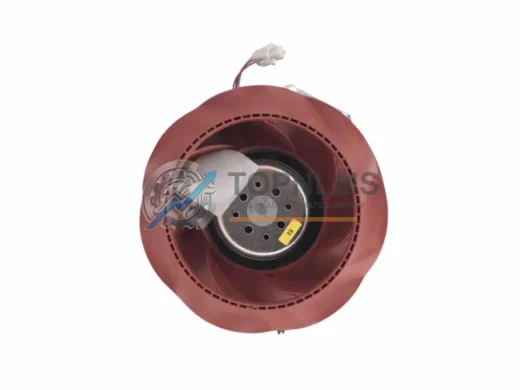
KUKA 00-176-743 Ruggedized Cooling Fan for Harsh Environments
00-176-743KUKA 00-176-743 forced-air cooling fan for KRC control cabinets. Reliable thermal protection in harsh industrial environments. In stock, 12-month warranty.
Request availability, condition, lead time and export shipping details for 00-176-028.
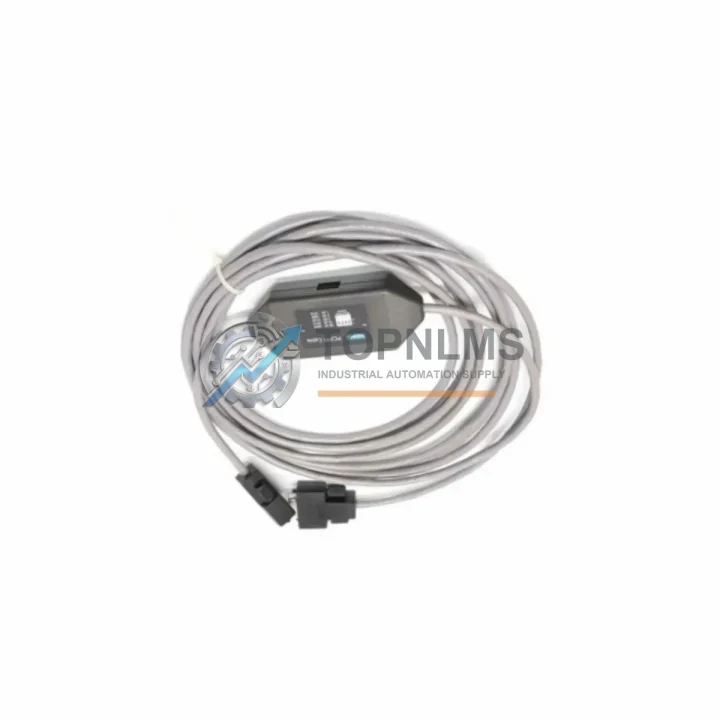
Send this exact part number, quantity and destination country. TOPNLMS will confirm availability, condition and export lead time before quotation.
When your KUKA KR C4 robot controller begins showing communication faults between the teach pendant and the controller cabinet, the root cause is frequently a failed X19 SmartPAD interface board — part number 00-176-028 C4 (cross-referenced as 00-277-094 and 00-170-196). TOPNLMS supplies this board as a direct, plug-compatible replacement engineered to restore full SmartPAD functionality without requiring software re-commissioning, wiring modifications, or controller cabinet reconfiguration.
The KR C4 platform, introduced to replace the legacy KR C2 and KR C3 controller generations, standardized the X19 interface as the primary high-speed communication link between the KRC4 cabinet and the KUKA smartPAD teach pendant. Unlike earlier systems that relied on proprietary serial protocols, the KR C4 architecture uses a dedicated Ethernet-based internal bus over the X19 connector, carrying real-time HMI data, safety signals, and operator input simultaneously. A degraded or failed 00-176-028 C4 board interrupts this link entirely, triggering KSS error codes such as KSS00022 (SmartPAD not connected) or KSS01234 (communication timeout), and rendering the robot inoperable until the board is replaced.
Our replacement 00-176-028 C4 board is sourced from verified KUKA supply channels and undergoes functional testing prior to shipment. Each unit is validated against the original KR C4 hardware specification, ensuring compatibility with all KR C4 compact, KR C4 extended, and KR C4 CK cabinet variants. The board installs directly into the existing X19 slot within the controller cabinet without any firmware flashing or parameter adjustment — the KRC4 system auto-detects the interface board on power-up and resumes normal SmartPAD communication within seconds.
| Parameter | Legacy / Superseded | 00-176-028 C4 (This Unit) |
|---|---|---|
| Part Number | 00-277-094 / 00-170-196 (earlier revisions) | 00-176-028 C4 (current revision) |
| Compatible Controller | KR C4 compact, KR C4 extended, KR C4 CK | KR C4 compact, KR C4 extended, KR C4 CK |
| Connector Interface | X19 (RJ45 + safety pins) | X19 (RJ45 + safety pins) — direct fit |
| Communication Protocol | KLI / internal Ethernet bus | KLI / internal Ethernet bus — fully compatible |
| SmartPAD Compatibility | KUKA smartPAD (all firmware versions) | KUKA smartPAD (all firmware versions) |
| Installation Method | Board swap, no tools required | Board swap, no tools required |
| Firmware / Software Change | Not required | Not required |
| Safety Circuit Compatibility | KR C4 integrated safety (PL d / Cat. 3) | KR C4 integrated safety (PL d / Cat. 3) |
| Warranty | — | 12-Month Warranty (TOPNLMS) |
| Replacement Recommendation | Replace on first SmartPAD communication fault | Drop-in replacement — no reconfiguration needed |
A SmartPAD interface board failure rarely occurs in isolation. In aging KR C4 installations, the X19 board fault is often accompanied by degraded performance in adjacent components that share the same internal power rail or communication bus. During the replacement procedure, experienced field engineers routinely inspect and — where necessary — simultaneously replace the KUKA KPS-600 power supply unit, which provides the 27 V DC rail powering both the controller logic board and the X19 interface circuitry. A weakened KPS-600 output can cause intermittent X19 faults that mimic a failed interface board, so confirming power supply integrity before closing the cabinet is standard practice.
The KUKA KRC4 main computer board (PC board) communicates with the 00-176-028 C4 over the internal KLI bus. If the main PC board’s Ethernet controller has degraded, replacing the X19 interface board alone may not fully resolve communication errors. In such cases, a parallel inspection of the KRC4 PC board is recommended. Similarly, the KUKA DSE-IBS-C33 safety board — responsible for processing emergency stop, safety gate, and operator enable signals — interfaces with the X19 path for safety-critical SmartPAD inputs. A faulty DSE board can generate false SmartPAD disconnection alarms even when the 00-176-028 C4 board is functioning correctly.
For sites migrating from the older KR C2 controller platform to KR C4, the X19 interface architecture represents a fundamental change: the KR C2 used a dedicated MFC (Multi-Function Card) and a separate teach pendant cable with a proprietary 7-pin circular connector, whereas the KR C4 consolidates all pendant communication through the X19 RJ45-based interface. Customers upgrading from KR C2 to KR C4 will need to replace not only the controller cabinet but also the teach pendant itself — the KUKA smartPAD (part 00-168-334) is not backward-compatible with KR C2 MFC-based systems.
In multi-robot cells where several KR C4 cabinets share a common KUKA KLI network switch for supervisory communication, a failed X19 board on one controller can disrupt the entire cell’s network topology if the faulty board is generating malformed Ethernet frames. Replacing the 00-176-028 C4 promptly minimizes cascading communication faults across the cell. Additionally, sites running KUKA.WorkVisual for project management and online configuration should verify that the WorkVisual project is re-deployed to the controller after the board swap to ensure the device network map reflects the restored X19 interface.
For installations where the SmartPAD cable itself (the coiled cable connecting the pendant to the X19 port) shows signs of wear — cracked jacket, intermittent continuity — the KUKA smartPAD cable assembly (00-168-353) should be replaced concurrently. A damaged cable can induce the same KSS communication fault codes as a failed interface board, and replacing both components during a single maintenance window eliminates the risk of a repeat fault call. Customers operating in high-vibration environments, such as press-tending or foundry applications, should also consider the KUKA strain relief bracket for the X19 port to reduce mechanical stress on the connector.
Q: Do I need to re-program the robot after replacing the 00-176-028 C4 board?
No. The KR C4 controller stores all robot programs, system parameters, and configuration data on the KRC4 hard drive or SSD, not on the X19 interface board. Replacing the board does not affect stored programs, tool data, base data, or safety configuration. The controller will resume normal operation immediately after power-up.
Q: Is the 00-176-028 C4 compatible with all KR C4 firmware versions?
Yes. The X19 interface board hardware is firmware-agnostic. It is compatible with KSS 8.2, 8.3, 8.5, and 8.6 software versions. No firmware update is required after installation.
Q: Can I replace the board myself, or do I need a KUKA-certified technician?
The physical board swap is straightforward — power down the controller, discharge the capacitor bank (wait 5 minutes after power-off), remove the X19 board retaining screws, swap the board, and restore power. However, if the fault has triggered a safety system lockout, a KUKA-certified technician may be required to reset the safety configuration using WorkVisual. TOPNLMS can provide detailed installation guidance upon request.
Q: What if my cabinet has both the X19 fault and a KPS power supply alarm simultaneously?
Address the KPS-600 power supply first. A low-voltage condition on the 27 V rail will cause the X19 interface board to malfunction even if the board itself is healthy. Restore correct power supply output, then re-test the SmartPAD connection before replacing the interface board.
Q: Will this board work with the KUKA smartPAD 2 (KR C5 pendant)?
No. The 00-176-028 C4 is designed exclusively for the KR C4 controller platform and the original KUKA smartPAD. The KR C5 controller uses a different interface architecture and is not compatible with KR C4 X19 boards.
Q: What communication protocols does the X19 interface support?
The X19 interface carries the internal KLI (KUKA Line Interface) Ethernet bus, which is a proprietary real-time protocol used exclusively for SmartPAD communication. It does not carry PROFINET, EtherNet/IP, or other fieldbus traffic — those are handled by separate interface cards installed in the KR C4 cabinet.
Every KUKA 00-176-028 C4 X19 SmartPAD interface board shipped by TOPNLMS is covered by a 12-month warranty from the date of delivery. Prior to shipment, each board undergoes a multi-point functional inspection including X19 connector integrity verification, internal bus communication test, and visual inspection for component damage or corrosion. Units that do not pass inspection are not shipped.
In the event of a warranty claim, TOPNLMS provides a replacement unit or full refund within the warranty period. Our after-sales response time is within 24 hours on business days. We ship from Xiamen, China, with DHL Express, FedEx International Priority, and UPI available for time-critical orders. Most destinations in Southeast Asia, Europe, and North America receive shipments within 3–7 business days.
For bulk procurement, OEM integrators, and MRO stocking programs, TOPNLMS offers volume pricing and priority allocation. Contact our technical sales team to discuss lead times, incoming inspection certificates, and consignment stocking arrangements.
KUKA 00-176-743 forced-air cooling fan for KRC control cabinets. Reliable thermal protection in harsh industrial environments. In stock, 12-month warranty.
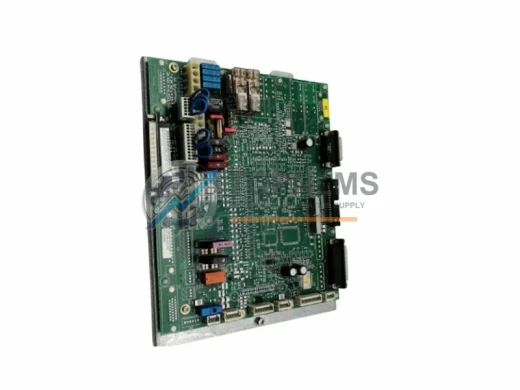
KUKA 00-217-026 original KRC4 main control board. Genuine industrial spare for robot controller replacement. 12-month warranty. Fast worldwide shipping.
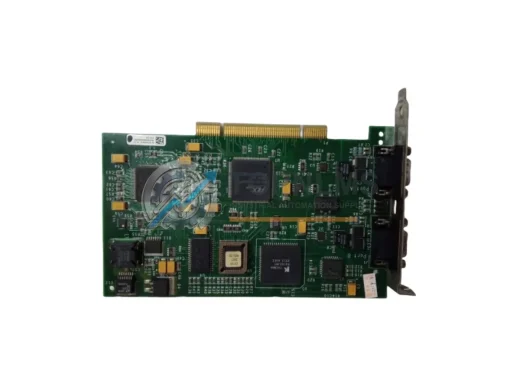
Schneider Electric 416NHM30032A Modicon Quantum PLC memory card. Rugged, reliable industrial automation component. In stock, tested, 12-month warranty. Fast shipping.
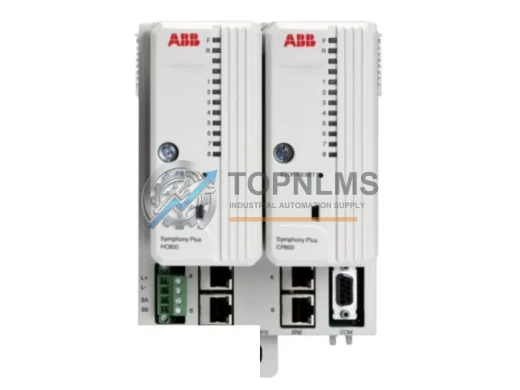
ABB CPM810 original industrial spare for AC800M DCS systems. Fast replacement, 12-month warranty, tested before shipment. Reduce downtime — order now.
Click Quote This Model and the Part Number field will auto-fill with 00-176-028.