
Allen-Bradley
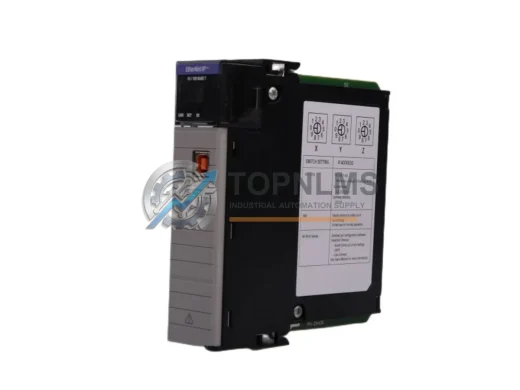
Allen-Bradley 1756-EN2T EtherNet/IP Replacement for ControlLogix
1756-EN2TDrop-in replacement for Allen-Bradley 1756-EN2T ControlLogix EtherNet/IP Bridge Module. Compatible upgrade, 12-month warranty, fast global shipping.
Request availability, condition, lead time and export shipping details for 1761-NET-DNI.
Send this exact part number, quantity and destination country. TOPNLMS will confirm availability, condition and export lead time before quotation.
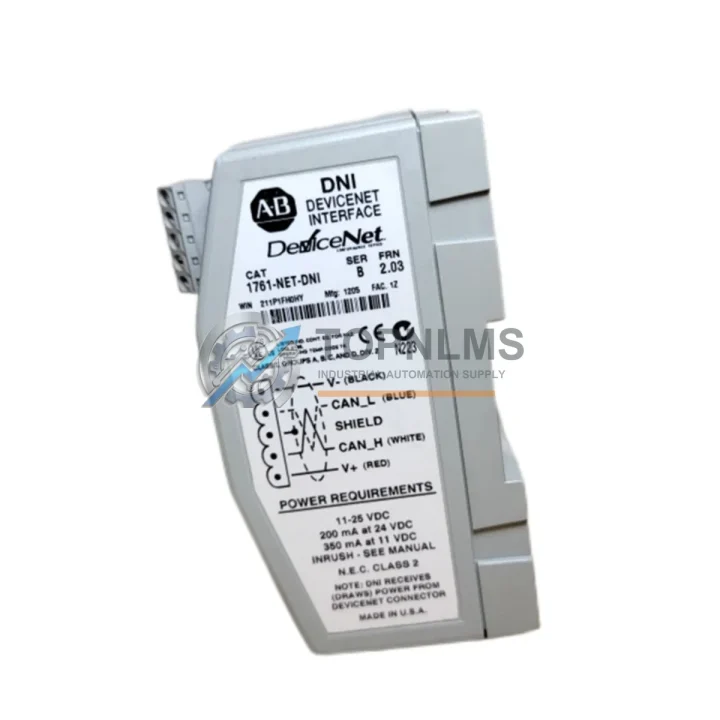
The Allen-Bradley 1761-NET-DNI DeviceNet Interface Module has reached end-of-life status, leaving many MicroLogix 1000, MicroLogix 1100, MicroLogix 1200, and SLC 500 installations without a direct factory-support path. TOPNLMS supplies verified replacement and compatible units for the 1761-NET-DNI, enabling plant engineers and system integrators to restore DeviceNet communication capability with minimal disruption to existing wiring, programming, and cabinet layouts.
The 1761-NET-DNI connects a MicroLogix or SLC 500 controller to a DeviceNet network via the controller’s DH-485 or RS-232 communication port, acting as a protocol bridge that allows the PLC to function as a DeviceNet master or slave node. When the original module fails or becomes unavailable, the entire DeviceNet segment—including variable-frequency drives, distributed I/O blocks, photoelectric sensors, and smart actuators—loses its communication link to the host controller. Sourcing a verified replacement unit is therefore a critical path item for any unplanned downtime event or planned retrofit project.
| Parameter | Original 1761-NET-DNI | TOPNLMS Replacement Unit |
|---|---|---|
| Compatible Controllers | MicroLogix 1000 / 1100 / 1200 / 1500, SLC 500 | Same — MicroLogix 1000 / 1100 / 1200 / 1500, SLC 500 |
| Host Interface | DH-485 / RS-232 (Channel 0) | DH-485 / RS-232 (Channel 0) — identical pinout |
| Network Protocol | DeviceNet (CAN-based, ISO 11898) | DeviceNet — same baud rates: 125 / 250 / 500 kbps |
| Node Address Range | 0–63 (software or hardware switch) | 0–63 — switch-selectable, no re-programming required |
| Power Supply | DeviceNet bus power (11–25 VDC) | DeviceNet bus power (11–25 VDC) — no separate PSU needed |
| Physical Dimensions | Standard 1761 Series form factor | Identical form factor — fits existing DIN rail / panel mount |
| Connector Type | 5-pin Open-Style DeviceNet connector + RJ-45 / DB-9 | Same connector types — no cable modification required |
| RSNetWorx Configuration | Supported via RSNetWorx for DeviceNet | Compatible with RSNetWorx for DeviceNet — EDS file available |
| Firmware / EDS | Factory firmware | Pre-loaded firmware; EDS file supplied on request |
| Warranty | Original factory warranty (expired / discontinued) | 12-Month TOPNLMS Warranty — replacement or refund |
A successful 1761-NET-DNI migration rarely involves a single component. In practice, the replacement project touches several adjacent modules and accessories that must be verified or updated in parallel.
On the controller side, engineers typically audit the host MicroLogix 1200 or MicroLogix 1500 CPU firmware version before reconnecting the DeviceNet interface, since older firmware revisions may require an update to correctly enumerate the replacement module’s EDS file through RSNetWorx for DeviceNet. If the host controller itself is also approaching end-of-life, some projects use the 1761-NET-DNI replacement as the trigger to evaluate a broader migration toward a CompactLogix L-series platform, which natively supports DeviceNet via a 1769-SDN DeviceNet Scanner module seated in the CompactLogix I/O bus—eliminating the need for an external protocol bridge entirely.
On the network side, the DeviceNet trunk cable, drop cables, and termination resistors should be inspected whenever a node is replaced. A 1485C-P1-C150 or equivalent DeviceNet trunk cable assembly, combined with properly rated 121-ohm termination resistors at both ends of the trunk, ensures signal integrity at 500 kbps. Distributed I/O nodes such as the 1734-ADN POINT I/O DeviceNet Adapter or 1756-DNB ControlLogix DeviceNet Bridge may also need their node address switches verified after any network reconfiguration.
For installations where the MicroLogix communicates with variable-frequency drives over DeviceNet, the drive’s DeviceNet adapter card—such as those used in PowerFlex 40 or PowerFlex 400 drives—should be confirmed operational after the 1761-NET-DNI swap, as node enumeration order can shift when a new module is introduced to the network. Similarly, any 1761-CBL-PM02 or 1761-CBL-HM02 programming cables used for initial configuration of the replacement module should be on hand before the maintenance window begins.
Panel-level considerations include verifying that the existing 1606-XLP power supply or equivalent 24 VDC rail supply provides sufficient current headroom for the DeviceNet bus after the module swap, and that the DIN rail mounting clip on the replacement unit is compatible with the existing 35 mm rail profile inside the control cabinet.
Q: Do I need to re-program the MicroLogix after replacing the 1761-NET-DNI?
A: No. The 1761-NET-DNI is a communication bridge, not a programmable controller. Your existing ladder logic program in the MicroLogix CPU is unaffected. You will need to re-scan the DeviceNet network in RSNetWorx for DeviceNet to register the replacement module’s EDS file, but no PLC program changes are required.
Q: Is the wiring to the DeviceNet connector compatible?
A: Yes. The replacement unit uses the same 5-pin open-style DeviceNet connector (V+, V−, CAN_H, CAN_L, Shield) with identical pinout. Existing trunk and drop cables connect without modification.
Q: What baud rate should I set on the replacement module?
A: Match the baud rate of your existing DeviceNet network (125, 250, or 500 kbps). The node address and baud rate are set via rotary switches on the module body—no software tool is required for this step.
Q: Can the replacement module fit in the same panel space?
A: Yes. The replacement unit shares the same 1761 Series physical form factor and DIN rail mounting footprint. No panel modification or additional mounting hardware is needed.
Q: What if my SLC 500 uses DH-485 rather than RS-232 to connect to the 1761-NET-DNI?
A: Both interface options are supported. The replacement module includes the same DH-485 RJ-45 port and RS-232 DB-9 port as the original, selectable via the host interface configuration in RSNetWorx.
Q: How long does commissioning take after the swap?
A: For a like-for-like replacement with no network topology changes, most engineers complete the physical swap, EDS registration, and network scan within 30–60 minutes during a planned maintenance window.
Every 1761-NET-DNI replacement unit shipped by TOPNLMS is covered by a 12-month warranty from the date of delivery. Prior to shipment, each unit undergoes functional verification including power-on self-test, DeviceNet communication handshake, and host interface continuity check. If a unit fails within the warranty period due to a manufacturing or component defect, TOPNLMS will provide a replacement unit or full refund—whichever the customer prefers—at no additional cost.
Our standard lead time for stocked units is 3–7 business days for international express delivery (DHL / FedEx / UPS). Emergency same-day dispatch is available for orders confirmed before 14:00 CST. All units are shipped with an inspection report, and customers may request a pre-shipment photo or video verification of the specific unit before it leaves our warehouse in Xiamen, China.
For procurement teams requiring documentation, TOPNLMS can provide a commercial invoice, packing list, certificate of conformity, and country-of-origin declaration (China, HS Code 8537.10) to support customs clearance and internal purchasing approval workflows.
To place an order or request a quotation, contact our technical sales team directly:
Drop-in replacement for Allen-Bradley 1756-EN2T ControlLogix EtherNet/IP Bridge Module. Compatible upgrade, 12-month warranty, fast global shipping.
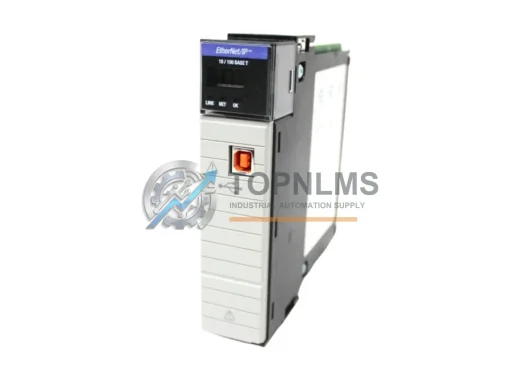
Allen-Bradley 1756-EN2T/C original ControlLogix EtherNet/IP module. Industrial replacement spare, 12-month warranty, tested before shipment. Fast global delivery.
Allen-Bradley 1756-DHRIO ControlLogix DH+/RIO Bridge Scanner Module. Drop-in replacement, upgrade solution, 12-month warranty. Ships from stock. Compatible with 1756 chassis.
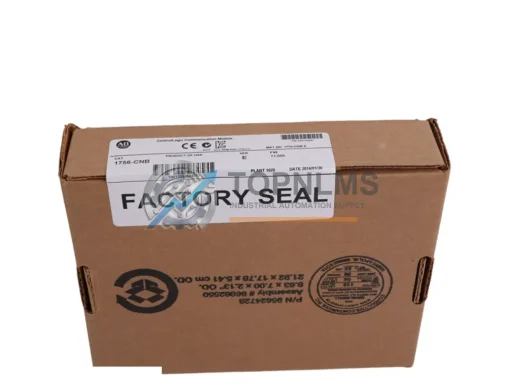
Buy Allen-Bradley 1756-CNB original ControlNet bridge module for ControlLogix systems. Genuine spare, 12-month warranty, fast shipping. SKU: 1756-CNB.
Click Quote This Model and the Part Number field will auto-fill with 1761-NET-DNI.