
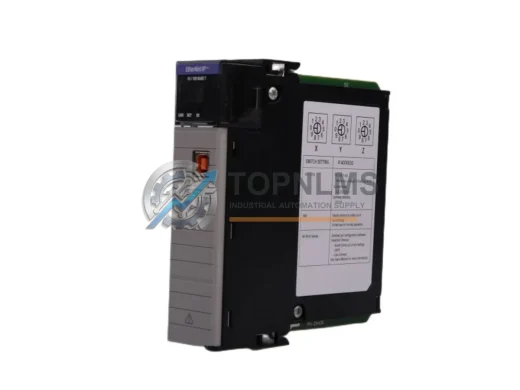
Allen-Bradley
Allen-Bradley 1756-EN2T EtherNet/IP Replacement for ControlLogix
1756-EN2TDrop-in replacement for Allen-Bradley 1756-EN2T ControlLogix EtherNet/IP Bridge Module. Compatible upgrade, 12-month warranty, fast global shipping.
Request availability, condition, lead time and export shipping details for 1756-EWEB.
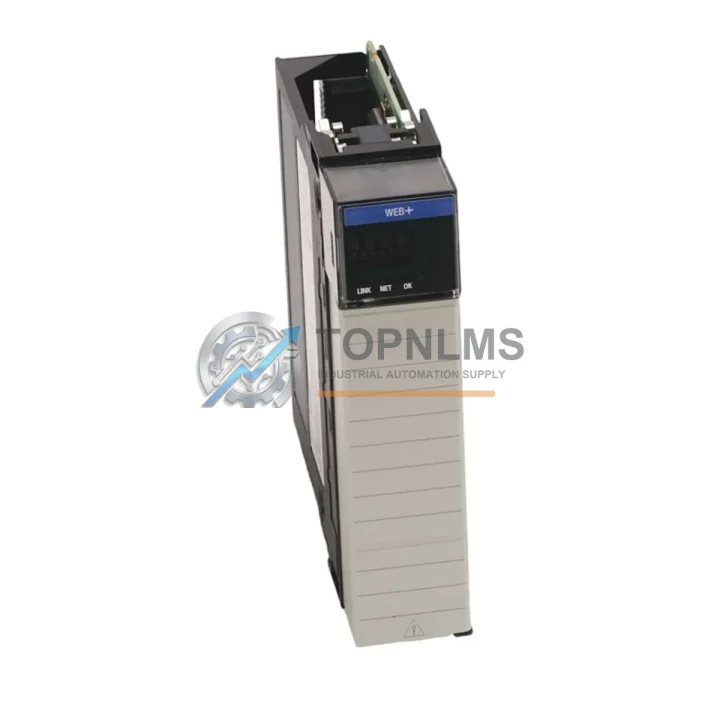
Send this exact part number, quantity and destination country. TOPNLMS will confirm availability, condition and export lead time before quotation.
The Allen-Bradley 1756-EWEB EtherNet/IP Web Server Module is a critical communication component within the Rockwell Automation ControlLogix 1756 platform. Designed for seamless integration into existing ControlLogix backplanes, this module provides secure web-based monitoring and diagnostics access to your PLC system without disrupting live production. For maintenance engineers managing aging automation infrastructure, sourcing a verified original 1756-EWEB spare is one of the highest-impact decisions in a preventive maintenance cycle.
Industrial facilities running ControlLogix-based control systems — whether in automotive assembly, oil & gas processing, water treatment, or discrete manufacturing — depend on uninterrupted communication between the controller and the plant network. The 1756-EWEB enables real-time tag browsing, I/O status monitoring, and remote diagnostics via standard web browsers, reducing the need for on-site technician intervention during routine checks. When this module fails or degrades, the entire visibility layer of the control cabinet is compromised, forcing maintenance teams into blind troubleshooting and extending mean time to repair (MTTR).
Stocking a verified original 1756-EWEB as a ready-to-deploy spare eliminates this risk. At TOPNLMS, every unit is inspected, function-tested, and shipped with a 12-month warranty, giving procurement and maintenance teams the confidence to plan replacements on their schedule rather than reacting to unplanned downtime.
| Parameter | Specification |
|---|---|
| Part Number / SKU | 1756-EWEB |
| Brand | Allen-Bradley (Rockwell Automation) |
| Series | ControlLogix 1756 |
| Module Type | EtherNet/IP Web Server Communication Module |
| Communication Protocol | EtherNet/IP, HTTP, HTTPS |
| Network Interface | 10/100 Mbps Ethernet (RJ-45) |
| Backplane Compatibility | ControlLogix 1756 series backplanes (all slot counts) |
| Power Consumption | Supplied via ControlLogix backplane |
| Operating Temperature | 0°C to 60°C (32°F to 140°F) |
| Storage Temperature | -40°C to 85°C |
| Relative Humidity | 5% to 95% non-condensing |
| Country of Origin | United States |
| Product Weight | Approx. 200 g |
| Compatible Controllers | 1756-L6x, 1756-L7x, 1756-L8x ControlLogix CPUs |
| Firmware Compatibility | Compatible with Studio 5000 / RSLogix 5000 environments |
| Installation | Hot-swappable in ControlLogix chassis (with appropriate firmware) |
| Certifications | CE, UL, cUL (original Rockwell Automation certification) |
| Warranty | 12 Months — TOPNLMS Quality Guarantee |
A scheduled inspection of your ControlLogix control cabinet should never focus on a single module in isolation. The 1756-EWEB operates as part of an interconnected communication and control ecosystem, and its performance is directly influenced by the health of adjacent components. During any planned maintenance window involving the 1756-EWEB, experienced maintenance engineers recommend simultaneously inspecting or pre-staging spares for the following related components.
The 1756-EN2T EtherNet/IP communication module shares the same backplane and network infrastructure as the 1756-EWEB. If the EN2T shows elevated packet loss or CIP connection timeouts, the root cause may be upstream from the web server module itself — a degraded EN2T can mask or mimic EWEB faults. Similarly, the 1756-L73 or 1756-L74 ControlLogix CPU should be checked for firmware currency and memory utilization; an overloaded controller can cause the EWEB’s tag server to respond slowly or drop connections.
Power integrity is equally critical. The 1756-PA75 or 1756-PB75 power supply module feeds the entire ControlLogix chassis, and voltage ripple or thermal degradation in the PSU is a leading cause of intermittent communication module faults. Inspect the PSU’s output voltage under load and check for capacitor bulging or discoloration. If the PSU is more than five years old in a continuous-duty environment, proactive replacement alongside the 1756-EWEB is a sound investment.
At the field wiring level, 1756-IB16 or 1756-OB16E digital I/O modules in the same chassis should be inspected for terminal corrosion, loose field wiring, and LED fault indicators. A field wiring fault on an I/O module can generate excessive backplane traffic that degrades communication module performance. Pair this inspection with a review of the 1492-CABLE series field wiring cables connecting the I/O modules to terminal blocks — cracked insulation or loose ferrules are common in high-vibration environments.
For facilities using DeviceNet or ControlNet alongside EtherNet/IP, the 1756-DNB DeviceNet Bridge module and 1756-CNB ControlNet Bridge module should be included in the inspection scope. These modules handle protocol translation and, if degraded, can create cascading communication errors that appear to originate from the EWEB. Finally, review the 1756-RM or 1756-RM2 redundancy modules if your system is configured for high-availability redundancy — a redundancy module fault can prevent proper failover and leave the system in a degraded single-controller state.
Stocking pre-tested spares for the 1756-EWEB alongside the EN2T, PA75, and at least one I/O module variant creates a comprehensive rapid-response spare kit that covers the most common ControlLogix communication and power failure scenarios.
Many facilities operating ControlLogix systems installed in the early 2000s face a common challenge: the original 1756-EWEB units are approaching or have exceeded their rated service life, yet the surrounding control system — the backplane, CPU, and I/O infrastructure — remains fully functional and cost-prohibitive to replace. In these scenarios, a direct original-part replacement of the 1756-EWEB is the most efficient and lowest-risk path to restoring full system capability.
Unlike third-party or refurbished alternatives, an original Allen-Bradley 1756-EWEB sourced through TOPNLMS maintains full firmware compatibility with Studio 5000 and RSLogix 5000 programming environments, preserves existing EDS (Electronic Data Sheet) configurations, and requires no re-commissioning of the broader network topology. Maintenance technicians can execute a hot-swap replacement in under 15 minutes with no changes to the controller program or network addressing — minimizing production interruption to a single brief window.
For facilities managing multi-site ControlLogix deployments, establishing a centralized spare parts inventory that includes at least one 1756-EWEB per site reduces emergency procurement lead times from weeks to hours. TOPNLMS supports bulk procurement inquiries and can provide multi-unit pricing for maintenance departments building out standardized spare kits across plant locations.
Every 1756-EWEB shipped by TOPNLMS undergoes pre-shipment functional testing, including backplane communication verification and Ethernet port integrity checks. Units are packaged in anti-static ESD-safe materials and shipped with documentation confirming test results. The 12-month warranty covers manufacturing defects and functional failures under normal operating conditions, providing procurement teams with a clear risk boundary for budget planning.
Q1: Is the 1756-EWEB compatible with all ControlLogix 1756 series chassis and CPUs?
Yes. The 1756-EWEB is designed for use in any standard ControlLogix 1756 chassis slot and is compatible with 1756-L6x, 1756-L7x, and 1756-L8x series CPUs. Firmware version compatibility should be verified against your specific controller revision using Rockwell Automation’s compatibility matrix. TOPNLMS can assist with compatibility verification prior to purchase.
Q2: What does the 12-month warranty cover, and what is the claims process?
The 12-month warranty covers functional failures and manufacturing defects under normal industrial operating conditions. It does not cover physical damage caused by incorrect installation, overvoltage events, or environmental exposure beyond rated specifications. To initiate a warranty claim, contact TOPNLMS at [email protected] with your order number and a description of the fault. Replacement or repair is processed within 5–10 business days of fault confirmation.
Q3: How should I verify the 1756-EWEB is functioning correctly after installation?
After installation, confirm the module’s status LEDs show normal operation (OK LED solid green, NET LED flashing green for active network traffic). Access the module’s built-in web interface via its assigned IP address to verify tag browsing and diagnostic page availability. Use RSLinx Classic or Studio 5000 to confirm the module appears correctly in the I/O tree with no faulted status. TOPNLMS provides pre-shipment test documentation to establish a baseline for comparison.
Q4: What is the recommended spare parts inventory strategy for ControlLogix communication modules?
For facilities with continuous production requirements, the recommended strategy is to maintain a minimum of one 1756-EWEB spare per control system cluster, with additional units for sites with more than three ControlLogix chassis. Spare modules should be stored in ESD-safe packaging in a climate-controlled environment and rotated into service on a 5–7 year cycle to prevent storage-related degradation. Pairing the EWEB spare with a 1756-EN2T and a 1756-PA75 power supply creates a comprehensive communication and power spare kit covering the highest-frequency failure modes in aging ControlLogix installations.
Drop-in replacement for Allen-Bradley 1756-EN2T ControlLogix EtherNet/IP Bridge Module. Compatible upgrade, 12-month warranty, fast global shipping.
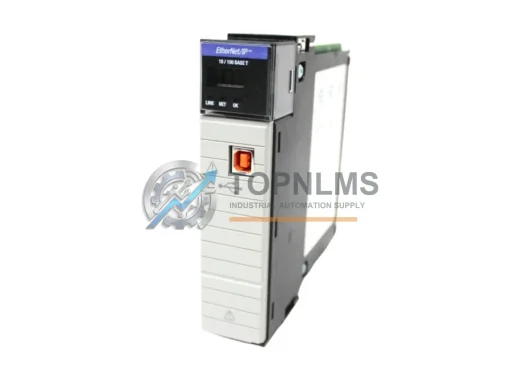
Allen-Bradley 1756-EN2T/C original ControlLogix EtherNet/IP module. Industrial replacement spare, 12-month warranty, tested before shipment. Fast global delivery.
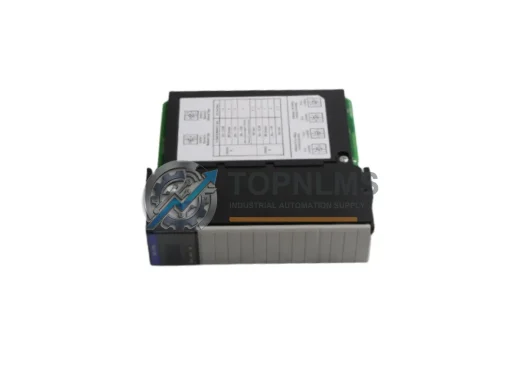
Allen-Bradley 1756-DHRIO ControlLogix DH+/RIO Bridge Scanner Module. Drop-in replacement, upgrade solution, 12-month warranty. Ships from stock. Compatible with 1756 chassis.
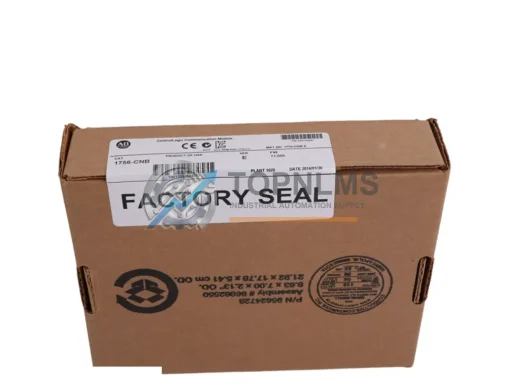
Buy Allen-Bradley 1756-CNB original ControlNet bridge module for ControlLogix systems. Genuine spare, 12-month warranty, fast shipping. SKU: 1756-CNB.
Click Quote This Model and the Part Number field will auto-fill with 1756-EWEB.