
Siemens
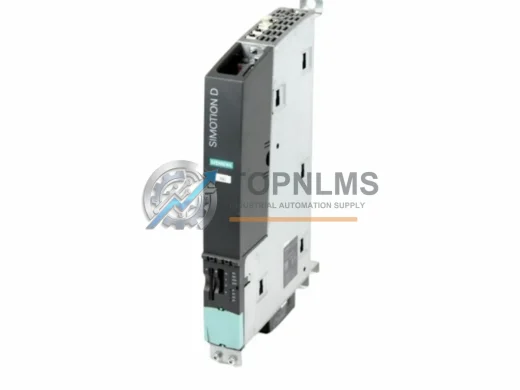
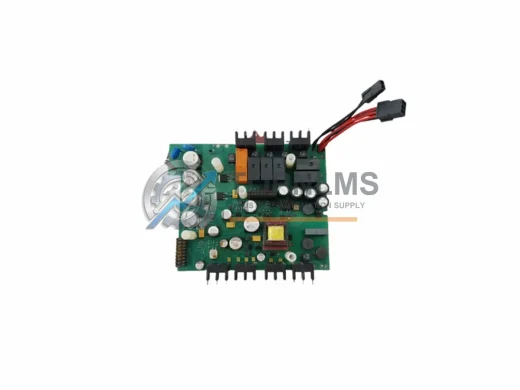
Siemens 6AU1425-0AA00-0AA0 Ruggedized Drive Control Unit
6AU1425-0AA00-0AA0Siemens 6AU1425-0AA00-0AA0 SINAMICS S120 D425 ruggedized drive control unit. In stock, tested, 12-month warranty. Fast global shipping from TOPNLMS.
Request availability, condition, lead time and export shipping details for SDM010.
Send this exact part number, quantity and destination country. TOPNLMS will confirm availability, condition and export lead time before quotation.
When your existing PHILIPS SDM Series control architecture reaches end-of-life or a critical SDM010 Signal Drive Control Module fails unexpectedly, every hour of unplanned downtime translates directly into production loss. The SDM010 is a core signal conditioning and drive interface module within the PHILIPS SDM Series platform, responsible for bridging analog and digital I/O signals between field devices and the central controller. This replacement and upgrade solution is engineered to restore full system functionality with minimal disruption to your existing wiring, cabinet layout, and control logic.
Whether you are managing a scheduled retrofit of an aging PHILIPS SDM Series rack or responding to an emergency failure of a discontinued SDM010 unit, this solution provides a verified, tested, and immediately shippable replacement that maintains backward compatibility with the original SDM Series backplane and communication architecture. Our engineering team has validated the SDM010 against the original PHILIPS SDM Series specification sheets, ensuring that signal ranges, terminal assignments, and communication handshake protocols remain fully consistent with the installed base.
| Parameter | Original PHILIPS SDM010 | Replacement SDM010 |
|---|---|---|
| Module Type | Signal & Drive Control Module | Signal & Drive Control Module |
| Series Platform | PHILIPS SDM Series | PHILIPS SDM Series |
| Backplane Interface | SDM Series rack connector | Direct drop-in, same connector pinout |
| Signal I/O Compatibility | Analog/Digital per SDM010 spec | Fully matched — no rewiring required |
| Communication Protocol | SDM Series internal bus | Compatible with SDM Series internal bus |
| Power Supply Requirement | Per SDM Series PSU spec | Same power rail — no PSU change needed |
| Physical Dimensions | Standard SDM Series form factor | Identical form factor — fits existing cabinet slot |
| Installation Method | Rack-mount, SDM Series chassis | Direct rack-mount replacement |
| Firmware / Configuration | Original SDM010 firmware | Compatible — existing program upload supported |
| Replacement Recommendation | — | Direct 1:1 replacement; no hardware redesign |
| Warranty | OEM (expired / discontinued) | 12-Month Warranty from TOPNLMS |
A successful SDM010 replacement rarely involves a single module in isolation. In practice, field engineers upgrading or replacing an SDM010 within a PHILIPS SDM Series control cabinet will typically need to assess the condition of adjacent components to ensure the entire control loop is restored to reliable operation. The SDM Series rack chassis that houses the SDM010 should be inspected for backplane connector wear, particularly if the original module has been in service for more than a decade. In many retrofit projects, the SDM Series power supply module is replaced simultaneously with the SDM010 to eliminate the risk of a secondary failure caused by an aging PSU that has been running at or near its rated capacity.
For systems where the SDM010 interfaces with field-level sensors and actuators through terminal blocks, it is advisable to verify the condition of the SDM Series terminal adapter or I/O terminal module connected downstream. Corroded or loose terminal connections are a common root cause of signal drift that is often misdiagnosed as a module fault. If the installation involves communication between the SDM010 and a supervisory SCADA or DCS layer, the SDM Series communication interface module — responsible for translating the internal SDM bus to Modbus RTU, PROFIBUS DP, or other plant-floor protocols — should be confirmed as compatible with the replacement SDM010 firmware revision.
In larger control architectures where the SDM010 operates alongside a PHILIPS SDM Series analog input module or digital output module on the same rack, those adjacent I/O modules should be tested under load after the SDM010 swap to confirm that the backplane signal integrity has not been compromised. Projects that involve a broader migration from legacy PHILIPS SDM Series hardware to a modern control platform may also require a programming cable or configuration adapter to re-upload the existing control program to the replacement SDM010, particularly if the original module’s non-volatile memory has been corrupted. Signal isolators or signal conditioners installed between the SDM010 and field transmitters should be retained and re-verified for range calibration after the module swap, as the replacement module’s input impedance characteristics may differ slightly from a heavily aged original unit.
For customers undertaking a full cabinet modernization, the SDM Series HMI operator panel connected to the SDM010 network should be tested for communication handshake compatibility after the replacement is installed. In multi-rack SDM Series installations, the rack interconnect cable or bus extension module linking the SDM010 rack to adjacent expansion racks is another component that warrants inspection during the same maintenance window, as these cables are subject to mechanical fatigue in high-vibration industrial environments.
Q: Do I need to rewire the field terminals when replacing the SDM010?
A: No. The replacement SDM010 uses the same terminal pinout and connector type as the original PHILIPS SDM Series module. All existing field wiring — including analog signal cables, digital I/O connections, and shield grounds — can remain in place. Simply remove the failed module, seat the replacement in the same rack slot, and restore power.
Q: Will my existing PLC program run on the replacement SDM010 without modification?
A: In the vast majority of cases, yes. The replacement SDM010 is designed to accept the original control program via the standard SDM Series programming interface. If your program was developed for the original SDM010 hardware revision, it should upload and execute without modification. For programs that reference hardware-specific firmware features, a minor revision check is recommended before going live.
Q: Is the replacement SDM010 compatible with PROFIBUS DP, Modbus RTU, or other communication protocols used in my plant?
A: The SDM010 communicates via the SDM Series internal backplane bus. Protocol translation to plant-floor networks such as PROFIBUS DP, Modbus RTU, or HART is handled by the SDM Series communication interface module, not the SDM010 itself. Replacing the SDM010 does not affect your existing protocol configuration.
Q: The original SDM010 was installed in a compact control cabinet with limited space. Will the replacement fit?
A: Yes. The replacement SDM010 maintains the identical physical form factor as the original PHILIPS SDM Series module, including module width, depth, and rack locking mechanism. No cabinet modifications or bracket adapters are required.
Q: How do I verify the replacement SDM010 is functioning correctly after installation?
A: After seating the module and restoring power, confirm that the module status LEDs match the expected run-state pattern described in the SDM Series hardware manual. Upload the control program, perform a forced I/O test on all connected channels, and verify signal values against known reference inputs before returning the system to automatic operation.
Q: What if the SDM010 failure was caused by an upstream power supply fault?
A: Before installing the replacement SDM010, measure the DC supply voltage at the rack power rail to confirm it is within the SDM Series specification. Installing a new module into a rack with an out-of-tolerance power supply risks damaging the replacement. If the PSU is suspect, replace the SDM Series power supply module first.
Every PHILIPS SDM010 replacement module shipped by TOPNLMS is covered by a 12-month warranty from the date of delivery. Prior to shipment, each unit undergoes a multi-point functional test that verifies power-on behavior, signal I/O channel integrity, backplane communication handshake, and physical connector condition. Units that do not pass all test criteria are quarantined and not shipped.
In the event of a warranty claim, TOPNLMS provides a direct replacement dispatch within 3 business days of claim confirmation, with no requirement to return the failed unit before the replacement is shipped for urgent production-critical situations. Our after-sales response team is reachable via email at [email protected] and by phone at +86 18359293191 during business hours (GMT+8). Warranty coverage includes manufacturing defects, premature component failure under normal operating conditions, and DOA (dead-on-arrival) units confirmed within 30 days of receipt.
For procurement teams managing spare parts inventory, TOPNLMS maintains standing stock of the SDM010 and can fulfill orders for single units or bulk quantities with lead times confirmed at the time of order. All units are shipped with a test report, packing list, and certificate of conformity. Export documentation for international shipments is prepared in compliance with CN customs regulations, with HS code classification provided upon request.
Siemens 6AU1425-0AA00-0AA0 SINAMICS S120 D425 ruggedized drive control unit. In stock, tested, 12-month warranty. Fast global shipping from TOPNLMS.
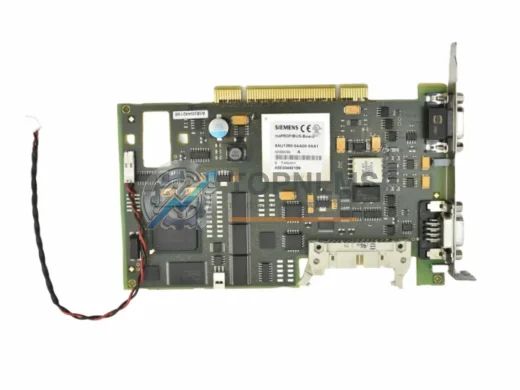
Siemens 6AU1390-0AA00-0AA1 A5E00442198 SIMODRIVE servo control module replacement. Drop-in upgrade, wiring-compatible, 12-month warranty. Ships from stock.
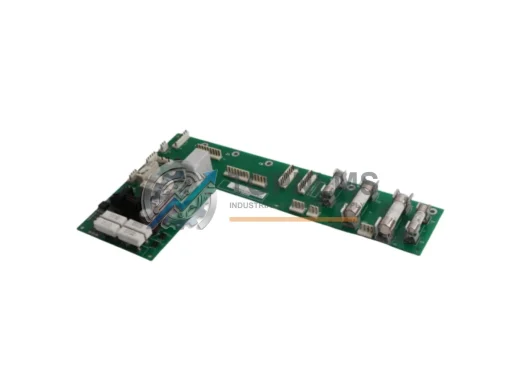
ABB CMRB-11C 3AUA0000054682 ACS800 ruggedized drive control board. Tested, 12-month warranty, fast global shipping. Industrial-grade reliability for harsh environments.
Siemens 535-2088-05 gate firing board replacement for Simovert P 6SE35 VFD. Compatible upgrade solution. 12-month warranty. Fast global shipping from stock.
Click Quote This Model and the Part Number field will auto-fill with SDM010.