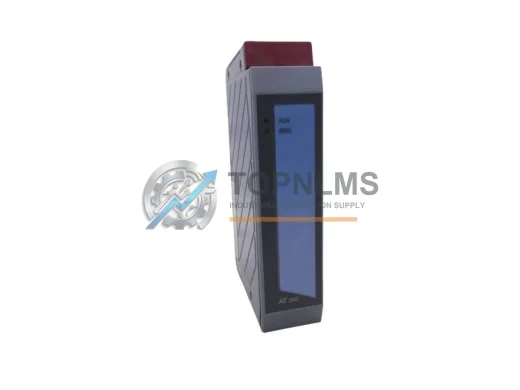
Product Overview
B&R X20DIF371 Replacement/Upgrade Solution for X20 System: Smooth Transition from Legacy Digital Input Modules
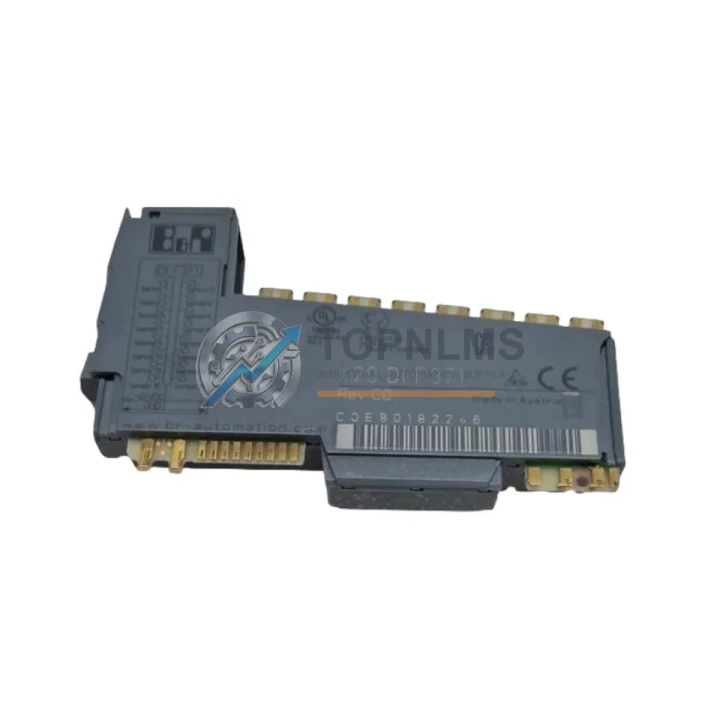
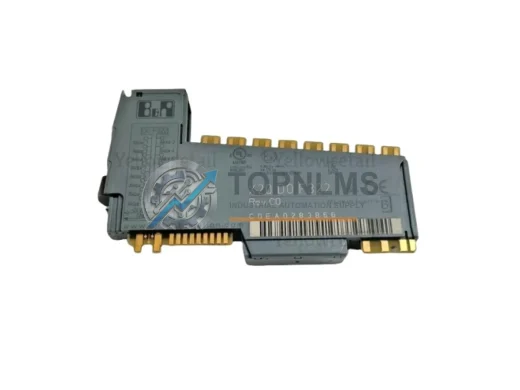
The B&R X20DIF371 is a 12-channel digital input module designed for the X20 System platform, operating at 24VDC and communicating over the high-speed X2X Link backplane bus. For facilities running aging X20 racks or decommissioning discontinued I/O configurations, the X20DIF371 represents a proven, drop-in upgrade path that preserves existing wiring infrastructure, control logic, and cabinet layouts — minimizing retrofit risk and unplanned downtime.
Whether your plant is migrating from an earlier-generation B&R 2003 System, consolidating distributed I/O from a legacy Bernecker + Rainer rack, or simply replacing a failed module in an active production line, the X20DIF371 integrates directly into your existing X20 backplane without requiring changes to your Automation Studio project structure or field wiring terminations.
Compatibility Comparison Table
| Parameter |
Legacy / Replaced Model |
B&R X20DIF371 (This Unit) |
| Module Type |
X20DI9371 / X20DI6371 / 2003 DI modules |
X20DIF371 — 12-ch Digital Input |
| Input Voltage |
24VDC (same) |
24VDC ±20% |
| Channel Count |
6 or 9 channels (older variants) |
12 channels (expanded capacity) |
| Communication Bus |
X2X Link / POWERLINK (varies) |
X2X Link (native backplane) |
| Backplane Compatibility |
X20 Bus Base required |
X20 Bus Base (direct plug-in) |
| Wiring Interface |
Screw terminal / plug-in connector |
Plug-in screw terminal (compatible) |
| Installation Space |
Standard X20 slot width |
Standard X20 slot — no panel modification |
| Programming Environment |
Automation Studio 3.x / 4.x |
Automation Studio 4.x (fully supported) |
| Replacement Recommendation |
Direct slot replacement |
✔ Drop-in compatible |
| Warranty |
— |
12-Month Warranty (TOPNLMS) |
Seamless Upgrade Solutions
A successful X20DIF371 retrofit rarely involves a single module in isolation. In practice, engineers migrating from discontinued or aging X20 configurations typically address the surrounding system architecture at the same time. The X20DIF371 slots directly into any X20 Bus Base, sharing the same X2X Link backplane as adjacent modules such as the X20DO9322 digital output module and the X20AI4622 analog input module — allowing mixed I/O expansion without reconfiguring the rack or modifying the X20 power supply module (X20PS9400 or X20PS9402 series) that feeds the segment.
For installations where the legacy controller is being replaced alongside the I/O, the X20DIF371 pairs naturally with the X20CP1584 or X20CP3586 CPU modules, which support direct X2X Link I/O mapping and retain compatibility with existing Automation Studio variable declarations. If your retrofit involves extending communication to a SCADA or DCS layer, the X20BC0083 POWERLINK bus controller or X20BC0073 Modbus TCP bus controller can be added to the same rack without affecting the DIF371’s input scan cycle.
In cabinet environments where space is constrained, the compact X20 form factor of the DIF371 allows it to coexist with X20 terminal blocks, X20TB12 bus transmitters, and X20 end plates without requiring additional DIN rail space. For systems that include signal conditioning requirements — particularly when migrating from older 2003-series analog I/O — an X20 signal isolator or X20HB2880 hub module may be added upstream to protect the new digital inputs from transient noise on legacy field wiring.
Engineers performing a phased migration — replacing modules one rack segment at a time while keeping the line running — will find that the X20DIF371 can be hot-swapped on supported X20 configurations, reducing the need for full system shutdowns during the transition period. This is particularly valuable in continuous-process industries where planned downtime windows are limited to scheduled maintenance cycles.
Retrofit Guidance FAQ
Q: Can I replace my existing X20DI9371 or X20DI6371 with the X20DIF371 without rewiring?
A: In most cases, yes. The X20DIF371 uses the same plug-in screw terminal interface as other X20 digital input modules. Field wiring connected to the terminal block can typically be transferred directly. Verify channel assignments in your Automation Studio I/O mapping before powering up.
Q: Will my existing Automation Studio program need to be modified?
A: If you are replacing a module of the same channel count and type, the variable mapping in Automation Studio will remain valid. If migrating from a 6- or 9-channel module to the 12-channel X20DIF371, additional input variables will become available but existing mappings are preserved. A hardware configuration update and download is required.
Q: Is the X20DIF371 compatible with POWERLINK-based systems?
A: The X20DIF371 communicates over the X2X Link backplane bus, not directly over POWERLINK. It must be connected to an X20 CPU or bus controller that manages the X2X Link segment. POWERLINK connectivity is handled at the controller or bus controller level (e.g., X20BC0083), not at the individual I/O module level.
Q: What are the physical installation requirements?
A: The X20DIF371 requires a compatible X20 Bus Base and fits standard X20 DIN rail assemblies. No panel cutout modifications are needed. Ensure the X20 power supply for the segment provides sufficient current for the additional 12-channel input load.
Q: Can this module be used in a safety-rated application?
A: The X20DIF371 is a standard (non-safety) digital input module. For SIL-rated applications, B&R X20 SafeIO modules (X20SI series) should be specified instead. Consult your safety system integrator before substituting modules in a certified safety loop.
Q: How do I verify the module is functioning correctly after installation?
A: After hardware configuration download in Automation Studio, use the I/O diagnostics view to confirm all 12 input channels are reading correctly. LED status indicators on the module face provide real-time channel state feedback without requiring a connected PC.
Warranty Assurance
Every B&R X20DIF371 unit shipped by TOPNLMS is covered by a 12-month warranty from the date of delivery. Prior to dispatch, each module undergoes functional verification including backplane communication check, input channel continuity test, and visual inspection for physical integrity. Units that do not pass outgoing quality control are not shipped.
In the event of a confirmed defect within the warranty period, TOPNLMS provides replacement support with priority processing for production-critical orders. Our after-sales response target is within 24 business hours of a warranty claim submission. Replacement units are dispatched from our Xiamen warehouse with full tracking, and return logistics for defective units are coordinated on a case-by-case basis depending on order volume and destination.
For procurement teams managing MRO budgets or spare parts programs, TOPNLMS offers volume pricing, lead-time commitments, and documentation packages (including test records and country-of-origin certificates) upon request. Stock availability for the X20DIF371 is maintained to support both emergency replacement orders and planned maintenance schedules.
To confirm current stock, request a formal quotation, or discuss compatibility with your specific X20 system configuration, contact our technical sales team directly.