
Siemens
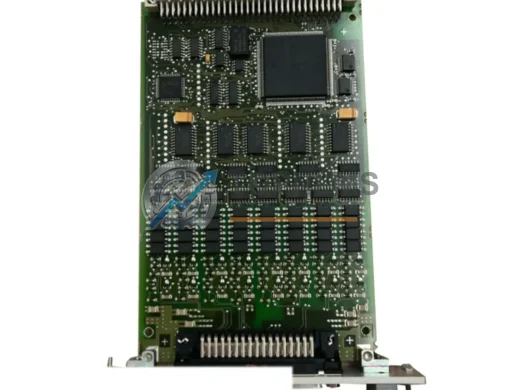
Siemens 6AR1302-0AA00-0AA0 Ruggedized Communication Module
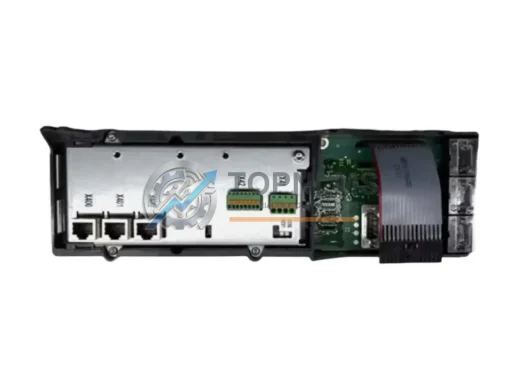
6AR1302-0AA00-0AA0Siemens 6AR1302-0AA00-0AA0 CP51M1 SIMATIC TDC communication processor. Ruggedized for harsh environments. In stock, tested, 12-month warranty. Fast shipping.
Request availability, condition, lead time and export shipping details for 6GK7343-1EX20-0XE0.
Send this exact part number, quantity and destination country. TOPNLMS will confirm availability, condition and export lead time before quotation.
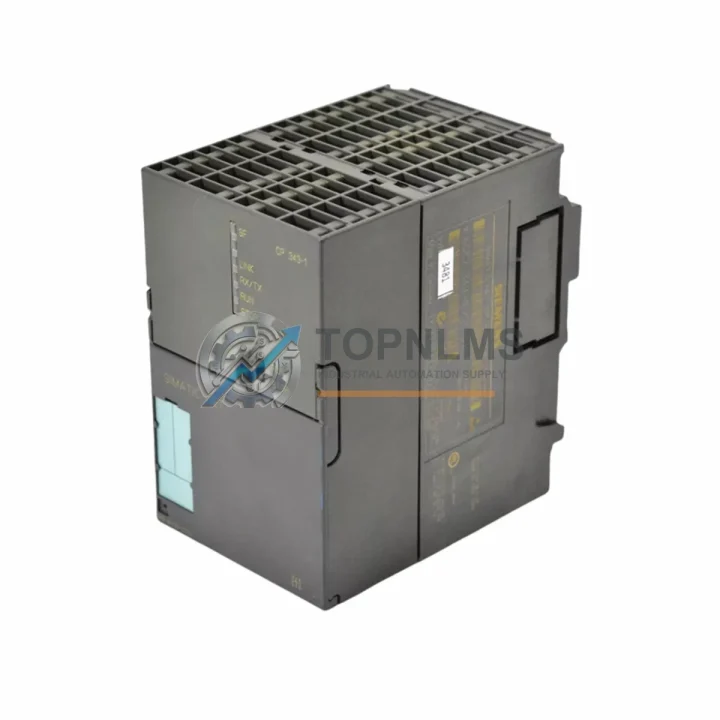
In modern industrial automation environments, network communication reliability is the backbone of every production line. The Siemens 6GK7343-1EX20-0XE0 — the CP 343-1 EX20 communication processor — is a mission-critical component within the SIMATIC S7-300 control architecture. When this module fails or degrades, the consequences extend far beyond a single cabinet: entire production cells can halt, SCADA visibility is lost, and maintenance teams face unplanned downtime that erodes both output and profitability. Stocking a verified original replacement unit is not a luxury — it is a fundamental element of any responsible spare parts strategy.
The 6GK7343-1EX20-0XE0 enables the S7-300 PLC to connect directly to Industrial Ethernet (IE) networks, supporting PROFINET IO, TCP/IP, ISO-on-TCP, and UDP communication protocols. It integrates seamlessly into existing SIMATIC NET infrastructure, allowing the controller to exchange data with HMI panels, SCADA systems, distributed I/O stations, and peer PLCs without requiring additional gateways or protocol converters. For facilities running legacy S7-300 systems — many of which remain in active service well beyond their original design life — maintaining a ready supply of this module is essential to sustaining uptime and avoiding costly system redesigns.
| Parameter | Specification |
|---|---|
| Part Number / SKU | 6GK7343-1EX20-0XE0 |
| Product Series | CP 343-1 EX20 (SIMATIC NET) |
| Compatible System | SIMATIC S7-300 PLC |
| Communication Standard | Industrial Ethernet (IEEE 802.3) |
| Supported Protocols | PROFINET IO, TCP/IP, ISO-on-TCP, UDP, SNMP |
| Ethernet Port | 1 × RJ45, 10/100 Mbit/s, Auto-MDI(X) |
| Supply Voltage | DC 5 V (via S7-300 backplane bus) |
| Power Consumption | Max. 2.5 W |
| Operating Temperature | 0 °C to +60 °C |
| Storage Temperature | −40 °C to +70 °C |
| Degree of Protection | IP20 |
| Mounting | S7-300 DIN rail, standard module slot |
| Country of Origin | Germany |
| Weight | Approx. 446 g |
| Firmware Compatibility | STEP 7 V5.x / TIA Portal (via legacy support) |
| Certifications | CE, UL, cULus, ATEX (Zone 2) |
| Warranty | 12 Months — Tested before shipment |
A structured preventive maintenance program for any S7-300-based control system must account for the interdependencies between the CP 343-1 EX20 and the broader cabinet ecosystem. When scheduling a planned shutdown for inspection or firmware review, maintenance engineers should treat the communication processor as part of a wider audit rather than an isolated component check.
Begin with the power supply module — typically a PS 307 (e.g., 6ES7307-1EA01-0AA0) — since voltage instability is one of the leading causes of premature communication module failure. Verify output voltage stability under load before powering the CP 343-1 EX20. Alongside the power supply, inspect the CPU module (such as the CPU 315-2 PN/DP or CPU 317-2 DP) for firmware currency and diagnostic buffer entries that may indicate prior communication faults.
The backplane bus connector and rack assembly (e.g., UR2 rack, 6ES7400-1JA01-0AA0) should be examined for oxidation, mechanical stress, or loose seating — issues that can cause intermittent communication dropouts that are often misdiagnosed as CP module failures. While the rack is accessible, inspect all installed I/O modules: digital input modules (SM 321 series), digital output modules (SM 322 series), and analog I/O modules (SM 331/332/334 series) for error LEDs, blown fuses, or terminal block corrosion.
Network infrastructure connected to the CP 343-1 EX20 deserves equal attention. Industrial Ethernet switches (such as SCALANCE X series switches) should be checked for port error counters and link-state logs. Patch cables and RJ45 connectors in industrial environments are subject to vibration fatigue and should be replaced on a scheduled basis rather than reactively. If the system uses fiber optic uplinks, inspect the IE FC RJ45 plug assemblies and fiber patch cords for bend radius compliance and connector cleanliness.
For facilities using PROFIBUS DP alongside Ethernet, the CP 342-5 or CP 343-5 modules in adjacent slots should be included in the same inspection cycle. Signal isolators and surge protection devices on communication lines — particularly on long cable runs between buildings — are often overlooked until a lightning event or ground fault causes module damage. Replacing these protection devices proactively is far less costly than replacing a communication processor after a surge event.
Finally, document the MAC address and IP configuration of the 6GK7343-1EX20-0XE0 before any replacement. This information, stored in STEP 7 or TIA Portal project files, is essential for rapid recommissioning and should be part of every site’s spare parts documentation package.
The 6GK7343-1EX20-0XE0 is a direct replacement for earlier CP 343-1 variants, including the 6GK7343-1EX11-0XE0 and 6GK7343-1EX20-0XE0 predecessor revisions. Its backward compatibility with existing STEP 7 configurations means that in most cases, a replacement can be completed without modifying the PLC program or network configuration — a critical advantage when minimizing downtime during an unplanned outage.
For facilities managing aging S7-300 infrastructure, maintaining at least one cold-standby unit of the CP 343-1 EX20 reduces mean time to repair (MTTR) from hours to minutes. When a communication fault is detected — whether through SCADA alarms, diagnostic buffer entries, or physical LED indicators on the module — a pre-tested replacement unit allows the maintenance team to swap, recommission, and restore network connectivity within a single shift, rather than waiting days for emergency procurement.
In multi-cabinet installations where several S7-300 racks share the same Ethernet segment, a single failed CP module can cascade into broader network instability. Proactive replacement of modules showing intermittent faults — rather than waiting for complete failure — is a proven strategy for maintaining system-wide stability. The 6GK7343-1EX20-0XE0’s plug-and-play compatibility with the S7-300 backplane makes it one of the most straightforward hot-swap candidates in the SIMATIC product family.
For sites planning a gradual migration toward S7-1500 or TIA Portal-based architectures, the CP 343-1 EX20 serves as a bridge component, maintaining legacy system uptime while the migration is planned and budgeted. This extends the productive life of existing S7-300 investments without requiring immediate capital expenditure on new controllers.
Q1: Is the 6GK7343-1EX20-0XE0 compatible with all S7-300 CPU variants?
The CP 343-1 EX20 is compatible with the full range of SIMATIC S7-300 CPUs that support standard module slots, including CPU 312, 314, 315, 317, and 319 series. It occupies one module slot on the S7-300 rack and communicates via the backplane bus. Verify your rack’s available slot count before ordering if your cabinet is fully populated.
Q2: What testing is performed before shipment?
Every unit is powered on and subjected to functional verification prior to dispatch, including communication port integrity checks and firmware version confirmation. Units are shipped with original packaging where available, and each order includes a test report. A 12-month warranty covers defects in materials and workmanship from the date of receipt.
Q3: How do I verify compatibility with my existing STEP 7 project?
The 6GK7343-1EX20-0XE0 uses the same GSD/GSDML profile as its predecessor revisions. In STEP 7, open the Hardware Configuration (HW Config), locate the CP 343-1 slot, and confirm the order number matches. If replacing an older revision, update the hardware catalog entry to the EX20 variant and re-download the hardware configuration to the CPU. No changes to the communication program blocks (FBs/FCs) are typically required.
Q4: What is the recommended spare parts inventory strategy for this module?
For facilities with 1–3 S7-300 racks on a single Ethernet segment, one cold-standby CP 343-1 EX20 unit is the minimum recommended stock level. For larger installations with 4 or more racks, or where the S7-300 controls safety-critical or high-throughput processes, two units are advisable. Given the module’s role as the sole Ethernet gateway for the PLC, its criticality justifies a higher safety stock than standard I/O modules.
Siemens 6AR1302-0AA00-0AA0 CP51M1 SIMATIC TDC communication processor. Ruggedized for harsh environments. In stock, tested, 12-month warranty. Fast shipping.
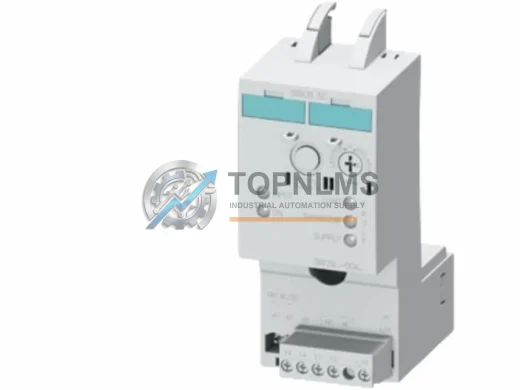
Siemens 3RF2950-0KA13 SIRIUS 3-phase solid state power controller, 50A 480V AC. Rugged, EMI-resistant, 12-month warranty. In stock — fast global shipping.
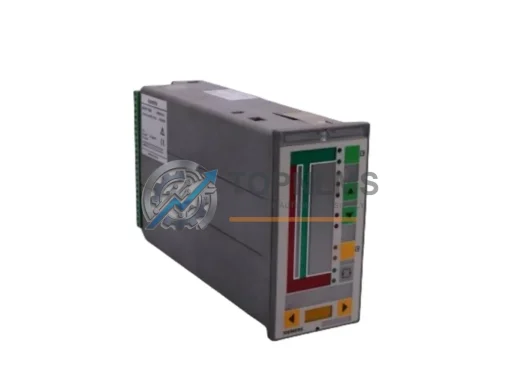
Buy SIEMENS 353A41NNETNNA4 original industrial spare. 353 Series single-loop Ethernet process controller. Fast shipping, 12-month warranty, B2B ready.
Buy original SIEMENS 6SL3351-6GE35-0AA1 SINAMICS S120 Control Interface Board. Tested, 12-month warranty, fast worldwide shipping. Industrial replacement spare.
Click Quote This Model and the Part Number field will auto-fill with 6GK7343-1EX20-0XE0.