

ProSoft Technology
ProSoft MVI56-DFCM Replacement/Upgrade for ControlLogix
MVI56-DFCMMVI56-DFCM drop-in replacement for ControlLogix. DF1 full-duplex compatibility, 12-month warranty, fast global shipping from TOPNLMS.
Request availability, condition, lead time and export shipping details for MVI56E-MNETC.
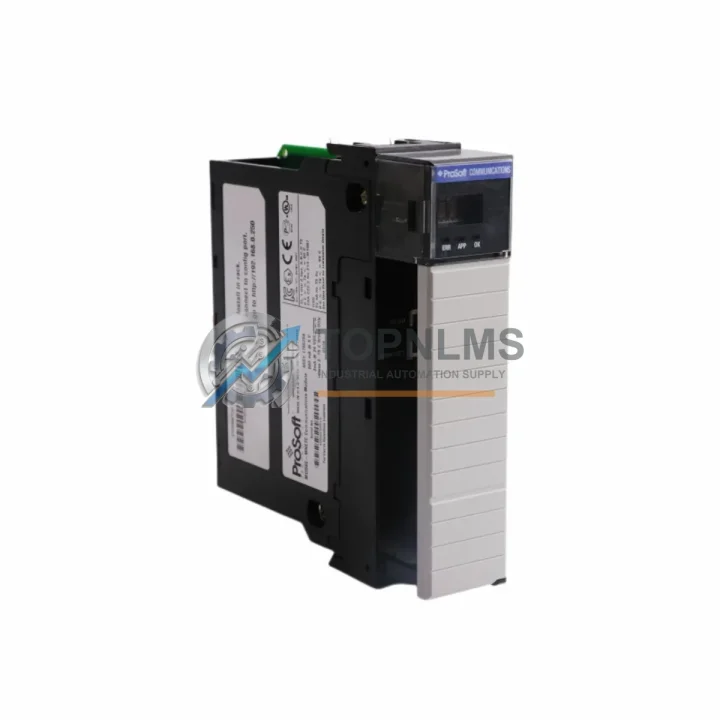
Send this exact part number, quantity and destination country. TOPNLMS will confirm availability, condition and export lead time before quotation.
The ProSoft MVI56E-MNETC is a Modbus TCP/IP Multi-Client communication module designed for the Allen-Bradley ControlLogix platform. As industrial facilities continue to modernize aging distributed control systems, the MVI56E-MNETC has become a critical bridge between legacy field devices and modern Ethernet-based control architectures. Whether you are replacing a failed unit, upgrading from an earlier MVI56-MNETC (non-E series), or migrating an entire control cabinet from a discontinued communication strategy, this module delivers the protocol flexibility and rack-mount compatibility that ControlLogix engineers depend on.
At TOPNLMS, we maintain ready stock of the MVI56E-MNETC to support urgent replacement scenarios. Every unit is tested prior to shipment, ships from our Xiamen warehouse, and is covered by a 12-month warranty. Lead times for most orders are 1–3 business days, with expedited options available for critical production environments.
| Parameter | Legacy: MVI56-MNETC | Replacement: MVI56E-MNETC |
|---|---|---|
| Series | MVI56 (1st Gen) | MVI56E (Enhanced) |
| Platform | ControlLogix 1756 | ControlLogix 1756 (same backplane) |
| Protocol | Modbus TCP/IP Client | Modbus TCP/IP Multi-Client (up to 10 simultaneous connections) |
| Backplane Interface | 1756 ControlLogix backplane | 1756 ControlLogix backplane (direct drop-in) |
| Ethernet Port | Single RJ-45 | Single RJ-45, 10/100 Mbps |
| Configuration Port | RS-232 serial (DB-9) | Ethernet-based (ProSoft Configuration Builder) |
| Power Supply | Backplane-powered (1756 chassis) | Backplane-powered (1756 chassis, same requirement) |
| Rack Slot | Any 1756 chassis slot | Any 1756 chassis slot (no slot restriction) |
| Firmware Update | Serial-based | Ethernet-based (faster, no serial cable required) |
| AOI / Ladder Logic | Legacy AOI (MVI56-MNETC) | Updated AOI required (MVI56E-MNETC); logic migration needed |
| Installation Space | 1 slot, 1756 chassis | 1 slot, 1756 chassis (identical footprint) |
| Replacement Recommendation | Direct slot replacement; update AOI and configuration file. No wiring changes required. | |
| Warranty (TOPNLMS) | — | 12 Months from shipment date |
A successful migration to the MVI56E-MNETC rarely involves the communication module alone. In most ControlLogix retrofit projects, engineers must evaluate the surrounding system components to ensure end-to-end compatibility and minimize commissioning time on the plant floor.
For facilities upgrading from older 1756-series racks, the 1756-A7 or 1756-A10 ControlLogix chassis provides the physical backplane into which the MVI56E-MNETC slots directly. If the existing chassis is nearing end-of-life or has damaged backplane connectors, replacing the chassis alongside the communication module is strongly recommended. The 1756-PA75 or 1756-PB75 power supply module should also be inspected during any rack-level migration — an undersized or aging power supply is a common cause of intermittent module faults after replacement.
On the Modbus device side, field instruments and remote I/O panels connected via Modbus TCP/IP — such as Schneider Electric Modicon STB island bus I/O modules or third-party Modbus TCP/IP slave devices — will continue to communicate without protocol reconfiguration, since the MVI56E-MNETC maintains full Modbus TCP/IP client compatibility. Engineers should verify IP addressing and register mapping in the ProSoft Configuration Builder software before going live.
For projects that also involve serial Modbus RTU field devices, the ProSoft MVI56E-MNET (server variant) or the MVI56E-MCM (Modbus serial master/slave) may be required alongside the MVI56E-MNETC to handle mixed protocol environments within the same 1756 chassis. These modules share the same Enhanced series form factor and configuration toolchain, simplifying multi-module deployments.
When the migration scope extends to the HMI layer, Rockwell Automation PanelView Plus 7 terminals communicating over EtherNet/IP to the ControlLogix controller will continue to operate without modification, as the MVI56E-MNETC handles only the Modbus TCP/IP side of the backplane — the controller’s EtherNet/IP bridge module (typically a 1756-EN2T or 1756-EN2TR) remains unchanged. Verifying that the EN2T firmware is current is a recommended pre-commissioning step.
For installations where signal isolation between the Modbus TCP/IP network and the control cabinet’s internal wiring is required, DIN-rail mounted signal isolators or Ethernet media converters may be added to the panel without affecting the MVI56E-MNETC’s slot position or configuration. Similarly, if the project involves replacing legacy ProSoft MVI46-MNETC modules in an older SLC 500 system and migrating the entire platform to ControlLogix, the MVI56E-MNETC serves as the target communication module in the new architecture, with the 1756 chassis replacing the 1746 SLC rack entirely.
Terminal block wiring from field devices to the Modbus TCP/IP network switch does not change during the module swap. The RJ-45 Ethernet connection on the MVI56E-MNETC plugs directly into the existing managed switch infrastructure, preserving all IP-layer configurations at the network level.
Q: Can I replace an MVI56-MNETC with an MVI56E-MNETC without rewiring?
A: Yes. Both modules occupy a single 1756 chassis slot and are backplane-powered. No field wiring changes are required. The only physical connection is the RJ-45 Ethernet cable, which remains the same.
Q: Do I need to rewrite my ControlLogix ladder logic?
A: Partial updates are required. The MVI56E-MNETC uses an updated Add-On Instruction (AOI) compared to the original MVI56-MNETC. You will need to import the new AOI from ProSoft’s configuration package and remap the data tags. The underlying Modbus register structure and communication logic remain conceptually identical, so migration is straightforward for experienced ControlLogix programmers.
Q: Is the Modbus TCP/IP configuration file compatible between the two generations?
A: Not directly. The MVI56E-MNETC uses ProSoft Configuration Builder (PCB) for setup, while the original MVI56-MNETC used an older configuration utility. You will need to recreate the configuration in PCB, referencing your existing register maps and IP settings. This typically takes 30–90 minutes for a standard configuration.
Q: Will the module fit in my existing 1756 chassis without modification?
A: Yes. The MVI56E-MNETC occupies one standard 1756 slot. It is compatible with all 1756-series chassis sizes (4-slot through 17-slot) and does not require adjacent slot clearance.
Q: What communication protocols does the MVI56E-MNETC support?
A: The module supports Modbus TCP/IP in client (master) mode, with up to 10 simultaneous client connections to Modbus TCP/IP server (slave) devices. It does not natively support Modbus RTU or ASCII — for serial Modbus, a separate MVI56E-MCM module is required.
Q: How do I handle the transition if my plant cannot afford extended downtime?
A: Pre-configure the MVI56E-MNETC offline using ProSoft Configuration Builder before the maintenance window. During the swap, remove the old module, insert the new one, download the configuration via Ethernet, and import the updated AOI into the ControlLogix project. With preparation, the physical swap and recommissioning can be completed in under two hours.
Every MVI56E-MNETC unit shipped by TOPNLMS is covered by a 12-month warranty from the date of shipment. Prior to dispatch, each module undergoes functional verification to confirm backplane communication, Ethernet port integrity, and firmware version. Units are shipped in anti-static packaging with full documentation.
In the event of a confirmed hardware defect within the warranty period, TOPNLMS will arrange a replacement unit or issue a refund based on the buyer’s preference. Our after-sales response target is within 24 business hours of a warranty claim submission. For urgent production-down situations, expedited replacement shipping is available upon request.
Procurement teams can request a test report, packing list, or certificate of conformity at the time of order. We support standard B2B purchase order workflows, and our team is available to assist with incoming inspection requirements for regulated industries.
For stock availability, lead time confirmation, or technical pre-sales questions, contact us directly:
📧 [email protected] | 📞 +86 18359293191
MVI56-DFCM drop-in replacement for ControlLogix. DF1 full-duplex compatibility, 12-month warranty, fast global shipping from TOPNLMS.
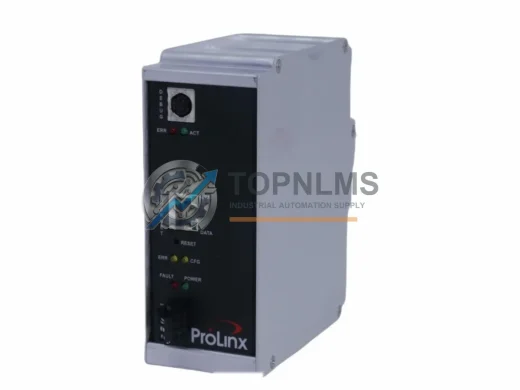
ProSoft 5201-DFNT-EGD EtherNet/IP to GE EGD in-chassis gateway. Rugged, reliable, 12-month warranty. In stock at TOPNLMS — fast global shipping.

ProSoft MVI56-101M Modbus RTU/ASCII module for ControlLogix. Ruggedized, in stock, tested, 12-month warranty. Fast shipping — TOPNLMS.

ProSoft PLX31-MBTCP-MBS Modbus TCP/IP to Serial gateway. Rugged, EMI-resistant, 12-month warranty. In stock — fast shipping from TOPNLMS.
Click Quote This Model and the Part Number field will auto-fill with MVI56E-MNETC.