

ProSoft Technology
ProSoft MVI56-DFCM Replacement/Upgrade for ControlLogix
MVI56-DFCMMVI56-DFCM drop-in replacement for ControlLogix. DF1 full-duplex compatibility, 12-month warranty, fast global shipping from TOPNLMS.
Request availability, condition, lead time and export shipping details for MVI56E-MCMXT.
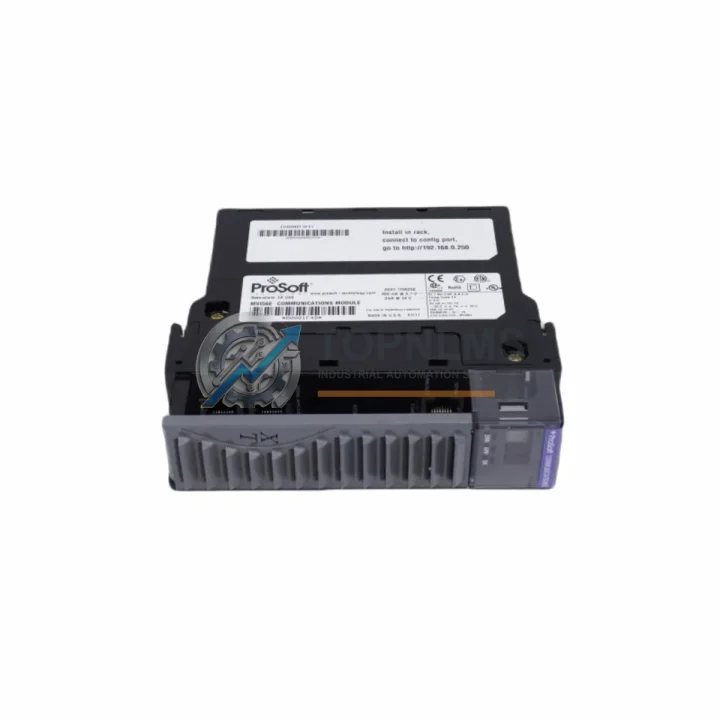
Send this exact part number, quantity and destination country. TOPNLMS will confirm availability, condition and export lead time before quotation.
The ProSoft MVI56E-MCMXT (SKU: MVI56E-MCMXT) is an extended-temperature Modbus Master/Slave communication module engineered for Allen-Bradley ControlLogix 1756-series backplanes. As legacy Modbus integration cards reach end-of-life or become increasingly difficult to source, the MVI56E-MCMXT provides a validated, drop-in upgrade path that preserves existing field wiring, ladder logic structures, and SCADA communication architectures — dramatically reducing retrofit risk and unplanned downtime.
Whether you are migrating from an older MVI56-MCM (non-extended-temp predecessor), replacing a failed third-party Modbus gateway, or consolidating serial communication from multiple legacy RTUs into a single ControlLogix platform, the MVI56E-MCMXT delivers the reliability and protocol depth that industrial environments demand. Its extended operating temperature range (0°C to 60°C) makes it equally suited for climate-controlled control rooms and harsh plant-floor enclosures.
The module supports up to two independent Modbus ports, each configurable as Master or Slave, enabling simultaneous polling of field devices — such as variable frequency drives, flow meters, pressure transmitters, and remote I/O racks — while simultaneously responding to upstream SCADA or DCS queries. This dual-port architecture is particularly valuable during phased migration projects where the new ControlLogix system must coexist with a legacy PLC-5 or SLC 500 platform during parallel-run commissioning.
| Parameter | Legacy: MVI56-MCM | Replacement: MVI56E-MCMXT |
|---|---|---|
| SKU / Part Number | MVI56-MCM | MVI56E-MCMXT |
| Platform Compatibility | ControlLogix 1756 | ControlLogix 1756 (same backplane slot) |
| Protocol | Modbus RTU / ASCII | Modbus RTU / ASCII (Master & Slave) |
| Serial Ports | 2 × RS-232/485 | 2 × RS-232/485/422 (configurable) |
| Operating Temperature | 0°C to 55°C | 0°C to 60°C (Extended Temp) |
| Backplane Interface | 1756 ControlBus | 1756 ControlBus (direct slot replacement) |
| Configuration Tool | ProSoft Configuration Builder (PCB) | ProSoft Configuration Builder (PCB) — same tool |
| Wiring Compatibility | DB9 / terminal block | DB9 / terminal block (no rewiring required) |
| Firmware / Logic Migration | Requires re-import of AOI | Compatible AOI — minimal logic rework |
| Replacement Recommendation | End-of-Life / Discontinued | ✅ Direct Upgrade — In Stock |
| Warranty | — | 12-Month Warranty |
A successful MVI56E-MCMXT migration rarely involves a single module swap. In practice, field engineers coordinate the replacement alongside several interconnected components to ensure system integrity from backplane to field device.
On the ControlLogix backplane, the MVI56E-MCMXT occupies a standard 1756-series slot alongside the 1756-L7x or 1756-L8x ControlLogix controller and the 1756-EN2T EtherNet/IP communication module, which handles upstream connectivity to the SCADA or historian server. If the existing chassis is a legacy 1756-A7 or 1756-A13 rack, the module slots directly in without mechanical modification — a key advantage when control cabinet space is constrained.
Power integrity is critical during any live migration. The 1756-PA75 or 1756-PB75 ControlLogix power supply must be verified to have sufficient headroom to support the additional backplane current draw of the MVI56E-MCMXT (typically 800 mA at 5 VDC). In high-density chassis configurations, this calculation should be performed before the cutover window.
On the serial field side, existing RS-485 multi-drop networks connecting legacy RTUs, Modbus-enabled variable frequency drives (such as ABB ACS series or Siemens MICROMASTER), or third-party flow computers typically require no rewiring. The MVI56E-MCMXT’s configurable port parameters — baud rate, parity, stop bits, and Modbus address mapping — are set via ProSoft Configuration Builder and downloaded through the 1756-USB programming cable or Ethernet, eliminating the need for a dedicated serial programming connection to the module itself.
For installations where the legacy system included a standalone ProSoft MVI46-MCM for SLC 500 or a MVI71-MCM for PLC-5, the migration to ControlLogix with the MVI56E-MCMXT also involves updating the Add-On Instruction (AOI) library. ProSoft provides migration guides that map the original MSG instruction data tables to the new AOI structure, significantly reducing programming time during the cutover.
In distributed I/O architectures, the MVI56E-MCMXT often works in tandem with 1756-IB16 digital input modules, 1756-OB16 digital output modules, and 1756-IF8 analog input modules to provide a complete I/O and communication solution within the same chassis. Where signal isolation is required between the Modbus field network and the ControlLogix backplane — particularly in environments with high electrical noise from motor drives or welding equipment — inline signal isolators or RS-485 repeaters are recommended at the serial port terminals.
For HMI integration, the upgraded ControlLogix system with MVI56E-MCMXT typically connects to a PanelView Plus 7 or FactoryTalk View SE station via EtherNet/IP, providing operators with real-time visibility into Modbus device data without requiring any changes to the HMI tag database structure — provided the ControlLogix tag names are preserved during the AOI migration.
Q: Can I replace the MVI56-MCM with the MVI56E-MCMXT without rewiring the RS-485 field network?
A: Yes. The MVI56E-MCMXT uses the same DB9 serial port pinout as the MVI56-MCM. Existing RS-485 multi-drop wiring, termination resistors, and cable shields can remain in place. Only the module configuration file needs to be updated in ProSoft Configuration Builder to match the new firmware version.
Q: Do I need to modify my ControlLogix ladder logic after the swap?
A: Minimal changes are required. The MVI56E-MCMXT uses an updated Add-On Instruction (AOI). You will need to import the new AOI into Studio 5000 Logix Designer and remap the data arrays. ProSoft’s migration documentation provides a field-by-field mapping table to simplify this process. Typical logic rework time is 2–4 hours for an experienced programmer.
Q: Is the MVI56E-MCMXT compatible with both ControlLogix V20 and V33 firmware?
A: Yes. The module is compatible with ControlLogix controller firmware V16 through V33. Always verify the ProSoft firmware revision matches the controller firmware level using the ProSoft Configuration Builder compatibility matrix before commissioning.
Q: How much backplane space does the MVI56E-MCMXT require?
A: The module occupies a single 1756-series backplane slot — identical to the MVI56-MCM it replaces. No additional slots or chassis expansion is required for a direct swap.
Q: Can the MVI56E-MCMXT operate as both Modbus Master and Slave simultaneously?
A: Yes. Each of the two serial ports can be independently configured as Master or Slave. This allows the module to poll field devices on Port 1 while responding to a legacy DCS or SCADA system on Port 2 — a common requirement during phased migration projects.
Q: What is the recommended approach for minimizing downtime during the cutover?
A: Pre-configure the MVI56E-MCMXT offline using ProSoft Configuration Builder before the maintenance window. Prepare the updated AOI and test it in a Studio 5000 offline project. During the cutover, swap the module, download the configuration, import the AOI, and perform a controlled online edit. Most experienced teams complete the physical swap and initial commissioning within a 2-hour maintenance window.
Every ProSoft MVI56E-MCMXT unit shipped by TOPNLMS is backed by a 12-month warranty covering manufacturing defects, firmware integrity, and backplane interface functionality. Prior to dispatch, each unit undergoes a pre-shipment functional test that verifies serial port communication, backplane recognition, and configuration download capability.
Should a unit exhibit any fault within the warranty period, TOPNLMS provides a direct replacement dispatch — not a repair-and-return cycle — to minimize your system downtime. Our technical support team is available to assist with configuration questions, AOI migration guidance, and commissioning troubleshooting throughout the warranty period.
For procurement teams, we provide a test report and packing list with every shipment, along with tracking information within 24 hours of dispatch. Units are shipped from our Xiamen warehouse via DHL Express, FedEx International Priority, or sea freight depending on order volume and urgency.
We maintain buffer stock of the MVI56E-MCMXT to support emergency replacement orders. Contact our team for lead time confirmation, volume pricing, and export documentation requirements.
MVI56-DFCM drop-in replacement for ControlLogix. DF1 full-duplex compatibility, 12-month warranty, fast global shipping from TOPNLMS.
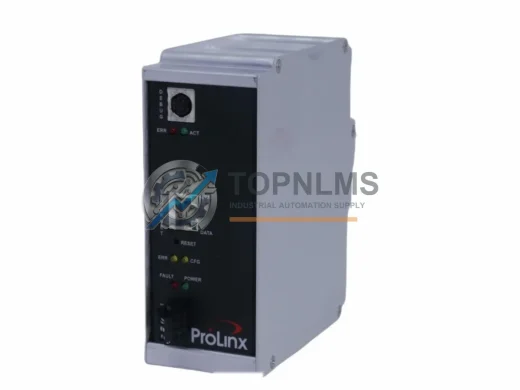
ProSoft 5201-DFNT-EGD EtherNet/IP to GE EGD in-chassis gateway. Rugged, reliable, 12-month warranty. In stock at TOPNLMS — fast global shipping.

ProSoft MVI56-101M Modbus RTU/ASCII module for ControlLogix. Ruggedized, in stock, tested, 12-month warranty. Fast shipping — TOPNLMS.

ProSoft PLX31-MBTCP-MBS Modbus TCP/IP to Serial gateway. Rugged, EMI-resistant, 12-month warranty. In stock — fast shipping from TOPNLMS.
Click Quote This Model and the Part Number field will auto-fill with MVI56E-MCMXT.