Product Overview
Pro-face PFXPP170CA66K00N00 Original Industrial HMI SP5000 Compatible: Ensuring System Stability in Demanding Environments
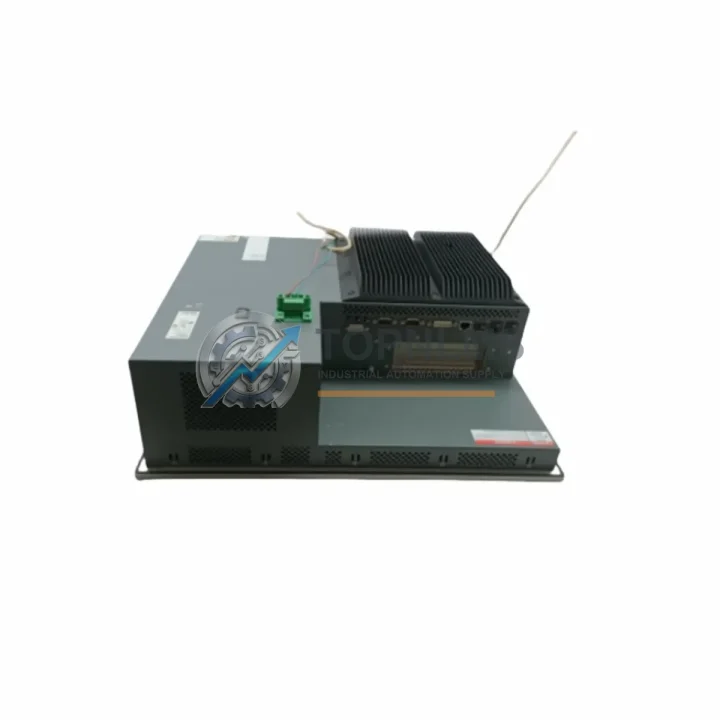
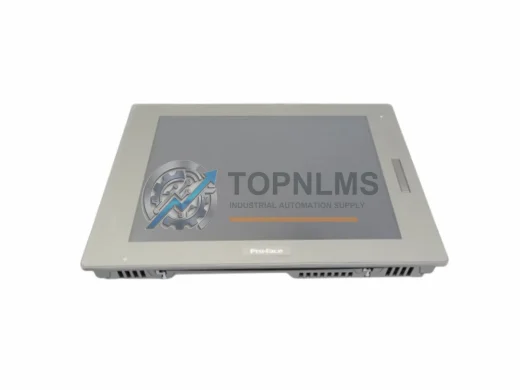
The Pro-face PFXPP170CA66K00N00 is a 17-inch fanless industrial panel PC from the SP5000 series, engineered for continuous operation in harsh manufacturing and process-control environments. As a genuine original spare part, it is a direct replacement for aging or failed HMI units in GP-Pro EX-based control architectures — preserving screen layout, tag mapping, and communication protocols without requiring software re-engineering. For maintenance engineers managing aging SCADA lines, distributed control panels, or standalone machine HMIs, having a verified replacement unit on the shelf is the single most effective way to eliminate unplanned downtime caused by display or controller failure.
Whether you are managing a food processing line, an automotive assembly cell, a water treatment facility, or a chemical batch reactor, the PFXPP170CA66K00N00 delivers the processing headroom and I/O flexibility required by modern GP-Pro EX SP5000 applications. Its fanless thermal design eliminates the most common mechanical failure point in panel PCs — the cooling fan — making it especially well-suited for dusty, vibration-prone, or high-humidity production floors where fan-cooled units require frequent servicing.
Critical Technical Specs
| Parameter |
Specification |
| Part Number |
PFXPP170CA66K00N00 |
| Brand / Manufacturer |
Pro-face (Schneider Electric Group) |
| Series |
SP5000 / GP-Pro EX |
| Display Size |
17″ (diagonal) TFT LCD |
| Panel Type |
Fanless Industrial Panel PC |
| Operating System |
Windows Embedded Standard 7 / WES7 |
| CPU |
Intel Atom / Core i-series (SP5000 platform) |
| Communication Interfaces |
Ethernet (RJ-45), USB, RS-232/422/485, CF Card |
| Protection Rating |
IP65 (front panel) |
| Operating Temperature |
0°C to 50°C |
| Storage Temperature |
-20°C to 60°C |
| Power Supply |
24 VDC |
| Installation |
Panel cutout mount (VESA compatible) |
| Compatibility |
GP-Pro EX software; compatible with Mitsubishi MELSEC, Siemens S7, Omron CJ/CS, Rockwell ControlLogix, Modbus RTU/TCP |
| Country of Origin |
Japan |
| Weight |
Approx. 19 kg (with mounting hardware) |
| Warranty |
12 Months — tested before shipment, full functional verification |
Preventive Maintenance Strategy
When a PFXPP170CA66K00N00 panel PC is flagged for replacement during a scheduled shutdown or emergency repair, experienced maintenance teams treat the event as a trigger for a broader control-cabinet audit. The HMI is rarely the only component under stress. In a typical SP5000-based control station, the panel PC communicates with field devices through a combination of serial and Ethernet links, and its 24 VDC power rail is shared with or adjacent to several other critical components.
Start with the 24 VDC DIN-rail power supply module feeding the panel. Units that have been in service for five or more years often show output voltage drift or ripple that degrades HMI boot reliability before causing outright failure. Replacing the power supply at the same time as the panel PC eliminates a common root cause of recurring faults. Next, inspect the Ethernet communication cable and managed switch port connecting the HMI to the PLC or DCS network — cable insulation degradation and switch port errors are a frequent source of intermittent screen freezes that are misdiagnosed as panel PC failures.
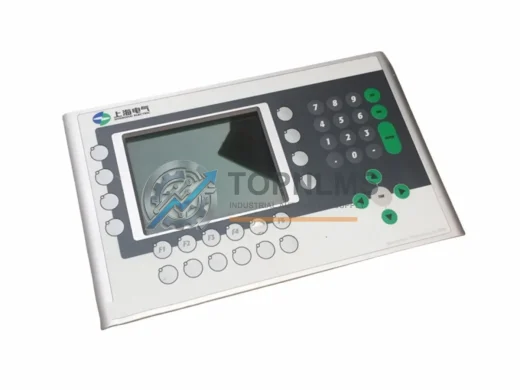
If the control cabinet includes a Pro-face GP4000 or GP3000 series remote HMI sub-panel for operator stations on the production floor, verify its firmware version is compatible with the SP5000 project file before swapping the main panel. Mismatched firmware between the main and remote HMI units can cause tag synchronization errors after replacement. Similarly, if the system uses a CF card or USB storage module for recipe management or data logging, replace the storage media at the same time — aging flash media is a leading cause of post-replacement boot failures.
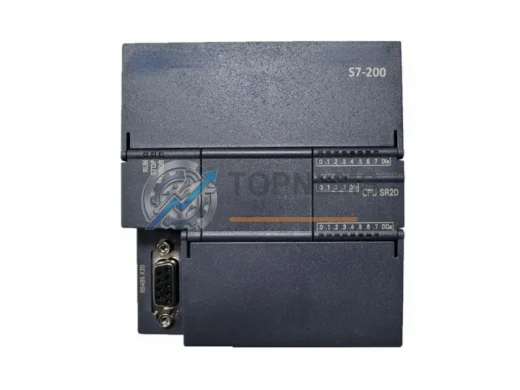
For systems where the PFXPP170CA66K00N00 interfaces with a Mitsubishi MELSEC Q-series or iQ-R PLC, it is good practice to simultaneously inspect the QX41 or RX40C7 digital input modules and the QY41P digital output modules in the same rack. These I/O modules share the same maintenance cycle as the HMI in most preventive maintenance schedules, and replacing them proactively during the same shutdown window avoids a second unplanned outage within months. If the system uses Siemens S7-300 or S7-400 PLCs, check the SM321 digital input module and CP343-1 Ethernet communication processor for firmware currency and connector wear.
Do not overlook the terminal blocks and wiring ferrules on the 24 VDC power distribution rail. Loose or corroded terminals are a silent reliability risk that becomes apparent only after a panel replacement disturbs the wiring harness. A set of Phoenix Contact or Weidmüller replacement terminal blocks costs a fraction of a second service call. Finally, if the cabinet uses a signal isolator or surge protection module on the RS-232/485 communication lines, verify its protection rating is still within specification — these devices absorb transient energy over time and degrade without visible symptoms.
Strategic Replacement Solutions
The PFXPP170CA66K00N00 is a direct form-fit-function replacement for earlier Pro-face SP5000 panel PCs installed in the same cutout dimensions. Because it runs GP-Pro EX natively, existing project files — including screen designs, tag databases, alarm configurations, and communication drivers — transfer without modification in the vast majority of installations. This eliminates the engineering hours typically associated with HMI platform migrations and allows maintenance teams to restore production within a single shift rather than days.
For facilities managing a fleet of aging Pro-face GP2000 or GP3000 series panels, the PFXPP170CA66K00N00 represents a controlled upgrade path that preserves the existing GP-Pro EX software investment while delivering a modern processor, expanded memory, and a higher-resolution display. The fanless design removes the need for periodic fan cleaning and replacement, reducing the total maintenance burden over the unit’s service life. Stocking one or two units as critical spares — particularly for lines where HMI failure triggers a full production stop — is a straightforward inventory decision with a clear ROI in avoided downtime costs.
All units supplied by TOPNLMS are sourced as original Pro-face components, inspected upon receipt, and subjected to a full functional power-on test before shipment. Each unit ships with a 12-month warranty covering manufacturing defects and functional failures under normal operating conditions. Expedited shipping options are available for emergency maintenance situations.
Support FAQ
Q1: Is the PFXPP170CA66K00N00 compatible with my existing GP-Pro EX project files?
Yes. The PFXPP170CA66K00N00 runs GP-Pro EX and is fully compatible with project files created for the SP5000 platform. In most cases, you can transfer your existing project directly to the replacement unit without modification. We recommend verifying the GP-Pro EX runtime version on the replacement unit matches your project’s target version before installation.
Q2: What testing is performed before shipment?
Every unit undergoes a full power-on functional test covering display output, touch input calibration, communication port verification, and storage media integrity. A test report is available upon request. Units are packed in anti-static protective packaging with foam cushioning to prevent transit damage.
Q3: How does the 12-month warranty work, and what does it cover?
The 12-month warranty covers manufacturing defects and functional failures under normal industrial operating conditions from the date of shipment. It does not cover physical damage caused by improper installation, overvoltage, or environmental conditions outside the rated specification. To initiate a warranty claim, contact us with your order number and a description of the fault. We will arrange return shipping and provide a replacement or repair within an agreed timeframe.
Q4: Should I stock this unit as a critical spare, and how many units are recommended?
For production lines where HMI failure causes a complete line stop, we recommend stocking a minimum of one replacement unit per line. Facilities with multiple SP5000-based stations running the same panel model can share a single spare across stations, provided the spare is stored in a climate-controlled environment and its storage media is refreshed annually. For high-criticality applications such as continuous process plants or automotive final assembly, two units per line is the industry-standard recommendation.