
Mitsubishi
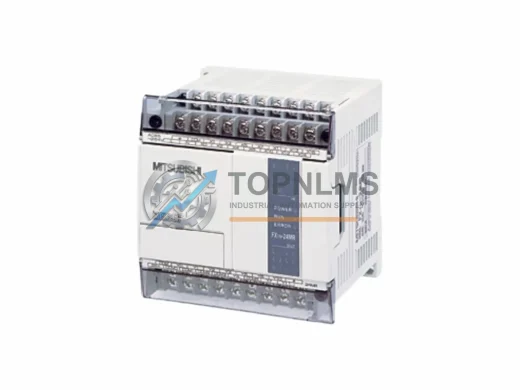
Mitsubishi FX1N-24MT-001 Replacement for MELSEC FX1N
FX1N-24MT-001FX1N-24MT-001 replacement & upgrade solution for MELSEC FX1N series. Full compatibility, 12-month warranty. Fast global shipping from TOPNLMS.
Request availability, condition, lead time and export shipping details for FX2-40AW.
Send this exact part number, quantity and destination country. TOPNLMS will confirm availability, condition and export lead time before quotation.
The Mitsubishi FX2-40AW is a dedicated PLC Link Module (Data Communication Unit) designed for the MELSEC FX2 Series programmable controller platform. As Mitsubishi Electric has progressively phased out the FX2 generation in favor of the FX3U, FX5U, and iQ-F Series, many industrial facilities operating legacy FX2-based control systems now face the critical challenge of sourcing reliable, specification-accurate replacement units to maintain uptime and avoid costly line shutdowns.
TOPNLMS supplies tested, original FX2-40AW units from verified inventory, enabling engineers and procurement teams to execute a smooth, low-risk replacement without redesigning the existing control architecture. Whether your application involves a standalone FX2-40 CPU with a single link module or a multi-drop network of FX2-series controllers communicating via the MELSEC-I/O Link or N:N Network protocol, the FX2-40AW slots directly into the existing DIN-rail mounted expansion rack without mechanical modification.
| Parameter | FX2-40AW (This Unit) | Typical Legacy / Obsolete Alternatives |
|---|---|---|
| Compatible CPU | FX2-40M, FX2-48M, FX2-64M, FX2-80M, FX2-128M | FX-40AW (FX1 Series — not directly compatible) |
| Communication Protocol | MELSEC N:N Network / PLC Link (RS-485) | Proprietary FX1 link — different frame format |
| Max Link Stations | Up to 8 stations (1 master + 7 slaves) | Varies by legacy model |
| Connector Interface | Dedicated FX2 expansion bus connector | FX3U-485ADP requires FX3U CPU — not backward compatible |
| Power Supply | Powered via FX2 CPU expansion bus (no external PSU required) | Some third-party adapters require separate 24 VDC supply |
| DIN Rail Mounting | Standard 35 mm DIN rail, same footprint as FX2 expansion modules | FX3U modules require wider rail spacing |
| Programming Tool | GX Developer / GX Works2 (FX2 parameter set) | GX Works3 not compatible with FX2 CPU |
| Replacement Recommendation | Direct drop-in for failed or end-of-life FX2-40AW units | Cross-series migration requires CPU and wiring changes |
| Warranty | 12-Month Warranty (TOPNLMS) | No warranty on used/refurbished units from grey market |
A successful FX2-40AW replacement rarely occurs in isolation. In most retrofit scenarios, the engineering team must simultaneously audit the surrounding control system components to ensure the entire communication chain remains intact after the module swap.
On the CPU side, the FX2-40AW interfaces directly with the FX2-48MR or FX2-64MR main unit via the right-side expansion bus. If the CPU itself is showing signs of battery failure or EEPROM degradation, it is advisable to source a replacement FX2-48MR or FX2-64MR at the same time to avoid a second unplanned shutdown. The FX2-40AW communicates over a shielded twisted-pair RS-485 cable; existing FX-422CAB-150 or SC-09 programming cables used for ladder upload/download remain fully compatible and do not need to be replaced.
For facilities running a multi-drop N:N network, the FX2-40AW master station typically connects to slave stations equipped with additional FX2-40AW units or FX2-16EX / FX2-16EYR I/O expansion modules. These remote I/O modules share the same DIN-rail profile and expansion bus logic, so the physical cabinet layout requires no modification. If the control cabinet also houses an FX2-32DP PROFIBUS-DP module for upstream SCADA integration, the link module replacement does not affect the PROFIBUS layer — the two communication paths operate independently within the FX2 backplane.
Power distribution within the control cabinet should also be verified. The FX2-40AW draws its operating power from the FX2 CPU’s internal 5 VDC bus. If the cabinet’s primary power supply — typically a Mitsubishi PS-5VD or equivalent 24 VDC DIN-rail PSU — is aging, a simultaneous PSU inspection is recommended to prevent nuisance trips after the module is installed. Signal isolation between the RS-485 link and field wiring is handled internally by the FX2-40AW, but for long cable runs exceeding 50 m in electrically noisy environments, an external signal isolator or surge protector on the RS-485 terminals is a best practice.
If the broader migration roadmap calls for an eventual step-up to the FX3U or FX5U platform, the FX2-40AW replacement buys the operational time needed to plan that transition properly. The FX3U-485ADP-MB Modbus adapter and FX5-485ADP communication adapter are the natural successors in the MELSEC family, but they require a new CPU and revised ladder program — making the FX2-40AW the correct short-to-medium-term solution for sites not yet ready for a full platform migration.
Q: Can I replace the FX2-40AW without modifying the existing RS-485 wiring?
A: Yes. The FX2-40AW uses the same terminal block pinout as the original unit. Existing shielded twisted-pair wiring, termination resistors, and cable routing do not need to change. Verify that the shield drain wire is grounded at one end only to avoid ground loops.
Q: Do I need to re-upload the ladder program after replacing the module?
A: The ladder program resides in the FX2 CPU’s internal RAM or EEPROM — not in the link module. The FX2-40AW replacement does not erase or alter the CPU program. However, it is strongly recommended to back up the program via GX Developer before any hardware intervention.
Q: Is the FX2-40AW compatible with the MELSEC N:N Network protocol used in my existing system?
A: Yes. The FX2-40AW natively supports the MELSEC N:N Network (PLC Link) protocol over RS-485. Network parameters (station number, baud rate, retry count) are set via GX Developer’s PLC Link parameter dialog and are stored in the CPU — no re-parameterization of the module itself is required.
Q: Will the FX2-40AW fit in the same physical slot in my control cabinet?
A: Yes. The FX2-40AW has the same mechanical footprint as all FX2 Series expansion modules. It mounts on a standard 35 mm DIN rail and connects to the CPU via the right-side expansion bus connector. No additional mounting hardware or cabinet modification is required.
Q: What if my FX2 CPU is also end-of-life — should I migrate to FX3U or FX5U instead?
A: If the CPU is still functional and the control program is stable, replacing only the FX2-40AW is the lowest-risk and lowest-cost option. A full platform migration to FX3U or FX5U involves program conversion, I/O rewiring, and recommissioning — typically a planned shutdown project. The FX2-40AW replacement extends the operational life of the existing system while that migration is planned.
Q: How do I verify the module is working correctly after installation?
A: Power on the system and observe the LINK LED on the FX2-40AW. A steady green LINK LED indicates successful N:N network communication. Use GX Developer’s monitor mode to verify that link relay (M) and link register (D) data is being exchanged correctly between master and slave stations.
Every FX2-40AW unit shipped by TOPNLMS is covered by a 12-month warranty from the date of delivery. Prior to dispatch, each unit undergoes a functional power-on test and visual inspection to confirm connector integrity, LED operation, and bus communication. Units that do not pass inspection are not shipped.
In the event of a confirmed defect within the warranty period, TOPNLMS will arrange a replacement unit or issue a full refund — whichever the customer prefers. Our standard lead time for in-stock FX2-40AW units is 3–7 business days for international shipments from Xiamen, China, with DHL Express and FedEx International Priority available for urgent orders.
For procurement teams requiring documentation, we can provide a packing list, commercial invoice, and certificate of origin upon request. Bulk orders of 5 units or more qualify for priority allocation and dedicated account support.
Contact our technical sales team before placing your order if you need to confirm compatibility with your specific FX2 CPU variant, cable configuration, or network topology. We are available to review your system architecture and confirm the correct part number.
FX1N-24MT-001 replacement & upgrade solution for MELSEC FX1N series. Full compatibility, 12-month warranty. Fast global shipping from TOPNLMS.
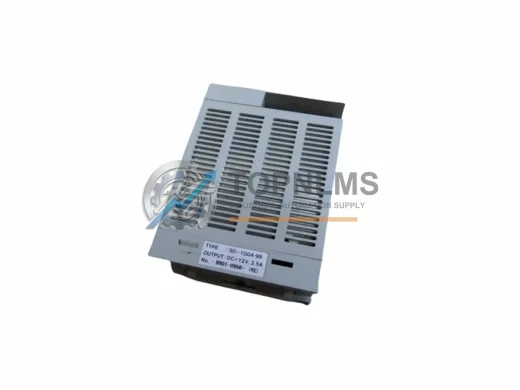
Mitsubishi SD-1G0A-99 original MELSEC-Q Series PLC CPU module. Fast replacement, 12-month warranty, tested before shipment. Reduce downtime now.
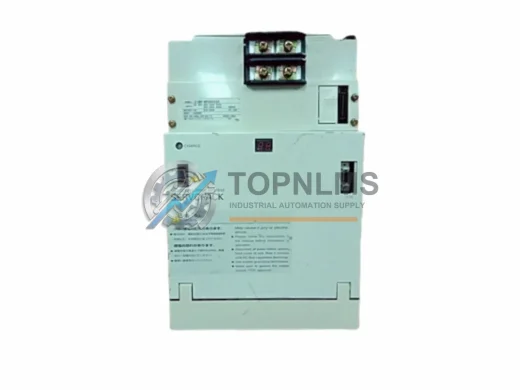
R612CPU-B: Original Mitsubishi MELSEC iQ-R Motion CPU Module. Fast replacement, 12-month warranty, tested before shipment. Reduce downtime now.
Mitsubishi Q2MEM-32MBA 32MB ruggedized flash memory for MELSEC-Q PLCs. Harsh-environment rated, 12-month warranty, tested stock. Fast global shipping.
Click Quote This Model and the Part Number field will auto-fill with FX2-40AW.