
KUKA
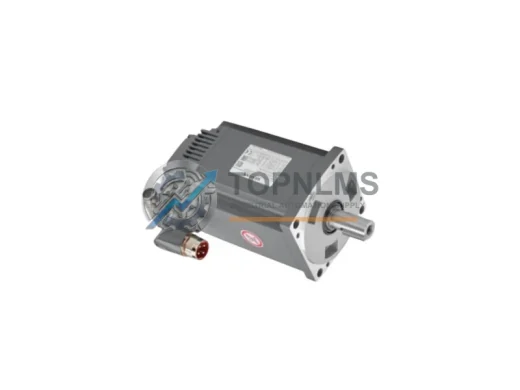
KUKA 71-050-783 Original Industrial Spare RV320E-185 Compatible
71-050-783Buy KUKA 71-050-783 RV320E-185 original robot joint gearbox for KR30 & KR60. Direct axis replacement spare, pre-shipment tested, 12-month warranty.
Request availability, condition, lead time and export shipping details for 00-130-547.
Send this exact part number, quantity and destination country. TOPNLMS will confirm availability, condition and export lead time before quotation.
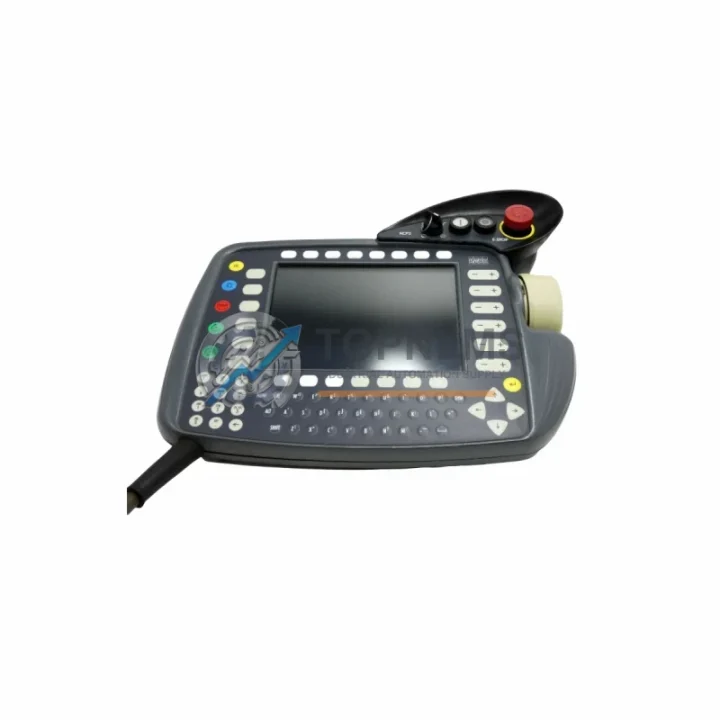
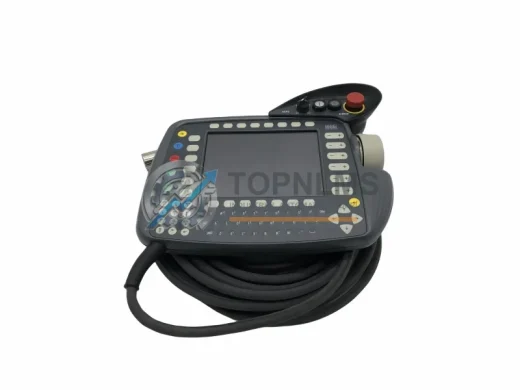
When a KUKA KR C2 or KR C3 robot controller loses its teach pendant, production stops immediately. The KUKA 00-130-547 KCP2 Teach Pendant is the direct OEM-compatible HMI device for the KR C2 and KR C3 controller families, enabling operators to jog axes, edit programs, manage I/O states, and execute motion sequences without any software modification or controller reconfiguration. TOPNLMS stocks tested, ready-to-ship units to minimize your downtime and keep your robotic cell running.
Many facilities running legacy KUKA KR C2 systems face the challenge of sourcing discontinued or hard-to-find HMI components. The 00-130-547 KCP2 pendant connects via the standard KCP connector on the KR C2 and KR C3 controller cabinet, using the same cable routing and strain-relief bracket as the original unit. No firmware flashing, no parameter re-entry, and no rewiring of the controller cabinet is required — plug in, power on, and resume operation.
For sites upgrading from an older KCP1 pendant (used on earlier KR C1 controllers), the transition to the KCP2 interface requires a compatible KR C2 or KR C3 controller base. The KCP2 communicates over the internal KUKA proprietary bus and is not interchangeable with KCP1 hardware. If your facility is simultaneously upgrading the controller from KR C1 to KR C2, the matching KR C2 controller cabinet, power supply module, and safety interface board must also be updated to ensure full system compatibility.
| Parameter | Legacy / Replaced Unit | KUKA 00-130-547 KCP2 |
|---|---|---|
| Compatible Controller | KR C2 (original KCP2), KR C3 | KR C2, KR C3 (direct replacement) |
| Connector Type | KCP proprietary multi-pin | KCP proprietary multi-pin (identical) |
| Display | Monochrome / early color LCD | Color LCD with backlight |
| Communication Protocol | KUKA internal bus (KCP2 protocol) | KUKA internal bus (KCP2 protocol) |
| Enable Switch | 3-position deadman | 3-position deadman (EN 60204-1 compliant) |
| Emergency Stop | Integrated E-Stop button | Integrated E-Stop button (identical) |
| Installation Space | Standard KCP2 cable length | Standard KCP2 cable length (no cabinet mod) |
| Firmware Requirement | KSS 5.x / 8.x | KSS 5.x / 8.x (no update required) |
| Replacement Complexity | — | Plug-and-play, no parameter re-entry |
| Warranty | — | 12-Month Warranty (TOPNLMS) |
A teach pendant replacement rarely happens in isolation. During a KR C2 or KR C3 retrofit, engineers commonly address several adjacent components to ensure the entire robotic cell is brought up to a reliable operational standard. The KR C2 controller cabinet itself houses a dedicated power supply module that feeds both the controller board and the KCP2 pendant; if the cabinet has been in service for more than a decade, inspecting and replacing the power supply module alongside the pendant is strongly recommended to prevent cascading failures.
The KR C2 controller also relies on a safety interface board (also referred to as the ESC board or safety controller card) that monitors the E-Stop chain, the 3-position enable switch on the KCP2, and external safety gate signals. When replacing the pendant, verify that the safety interface board firmware is compatible with the KSS version running on the controller PC. In many KR C2 installations, the controller PC card — the industrial PC module embedded in the cabinet — runs KSS 5.x; upgrading to KSS 8.x for improved diagnostics may require a controller PC card upgrade as well.
For facilities integrating the KUKA robot into a broader automation cell, the KR C2 controller communicates with PLCs and SCADA systems via DeviceNet, PROFIBUS-DP, or Ethernet/IP fieldbus interface cards installed in the controller cabinet. If the fieldbus interface card is also end-of-life, sourcing a replacement DeviceNet or PROFIBUS-DP communication module for the KR C2 at the same time as the pendant minimizes the number of planned maintenance windows. Similarly, the servo drive modules inside the KR C2 cabinet — which control each robot axis — should be inspected for capacitor aging and drive fault history before returning the cell to full production.
On the programming side, a KCP2 replacement is also an opportunity to back up and verify all robot programs stored on the controller. KUKA’s programming cable and WorkVisual software allow offline program archiving from the KR C2 controller to a PC before the pendant swap, ensuring no program data is lost during the transition. If your facility is also upgrading peripheral equipment such as the welding power source, vision system, or conveyor PLC, coordinating the KCP2 replacement with those activities reduces total system downtime.
For multi-robot cells where several KR C2 or KR C3 controllers share a common safety zone, the cell safety PLC — often a Siemens S7-300 or Allen-Bradley ControlLogix — must be informed of any maintenance mode changes via the safety interface. Ensuring the KCP2 E-Stop and enable switch signals are correctly mapped in the cell safety PLC program before resuming automatic operation is a critical commissioning step that should not be overlooked.
Q: Will the 00-130-547 KCP2 work with my KR C2 controller without any software changes?
A: Yes. The KCP2 pendant communicates over the KUKA internal bus and is recognized automatically by KSS 5.x and 8.x. No parameter changes or software updates are required for a like-for-like pendant replacement.
Q: Is the KCP2 cable included, and what length is it?
A: The pendant is supplied with its integrated cable. Standard cable length is approximately 10 meters. If your cabinet layout requires a different length, please contact us before ordering.
Q: Can I use this pendant on a KR C4 controller?
A: No. The KR C4 uses the KCP4 (smartPAD) pendant, which uses a different connector and communication protocol. The 00-130-547 KCP2 is not compatible with KR C4 controllers.
Q: What if my KR C2 controller is running an older KSS version?
A: The KCP2 is compatible with KSS 5.x through 8.x. If your controller runs a version outside this range, contact our technical team for guidance before ordering.
Q: How do I verify the E-Stop and enable switch function after installation?
A: After connecting the pendant, perform a full safety function test: confirm E-Stop opens the safety chain, verify the 3-position enable switch operates correctly in T1 and T2 modes, and check that the cell safety PLC acknowledges the pendant’s safety signals before enabling automatic mode.
Q: Do you provide documentation or wiring diagrams?
A: Yes. TOPNLMS can provide available technical documentation upon request. Contact [email protected] for support.
Every KUKA 00-130-547 KCP2 Teach Pendant shipped by TOPNLMS is covered by a 12-Month Warranty from the date of delivery. Prior to shipment, each unit undergoes a functional inspection including display verification, keypad response testing, enable switch continuity check, and E-Stop circuit validation. Units that do not pass inspection are not shipped.
If a warranty claim arises within the 12-month coverage period, TOPNLMS will arrange a replacement unit or repair at no additional cost to the buyer. Our after-sales response target is within 24 business hours of a claim submission. For urgent production-down situations, please contact us directly by phone or email so we can prioritize your case.
We ship globally from Xiamen, China, with DHL Express, FedEx International Priority, and UPI available for time-sensitive orders. Standard lead time for in-stock units is 1–3 business days from order confirmation. For large-quantity orders or ongoing blanket purchase agreements, please contact our sales team to discuss pricing, lead times, and consignment stocking arrangements.
TOPNLMS is committed to supporting industrial facilities that depend on KUKA robotics for their production operations. Whether you need a single emergency replacement or a strategic spare-parts inventory for your maintenance department, we are here to help you keep your robotic systems running reliably.
Buy KUKA 71-050-783 RV320E-185 original robot joint gearbox for KR30 & KR60. Direct axis replacement spare, pre-shipment tested, 12-month warranty.
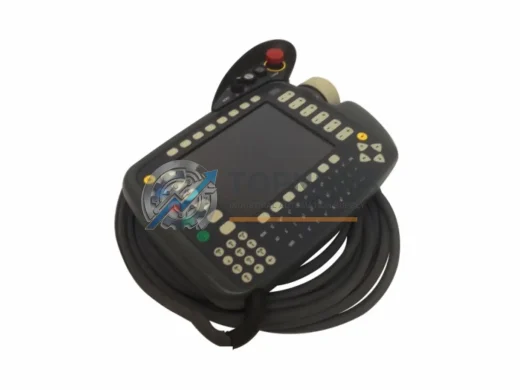
KUKA KRC4RDC 00-200-655 ruggedized robot drive controller card. KRC4 series, EMI-resistant, 12-month warranty. In stock — fast global shipping from TOPNLMS.
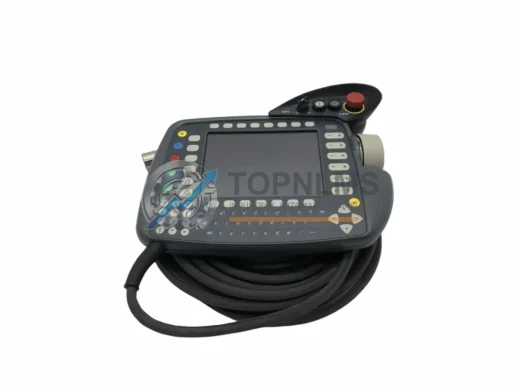
KUKA KRC2-00-130-547 teach pendant replacement & upgrade for KRC2 series robots. Compatible wiring, protocol & mounting. 12-month warranty. Ships from Xiamen.
KUKA 69-000-398 KRC1 teach pendant replacement. Compatible upgrade for KRC1 robot controllers. 12-month warranty, fast shipping, in-stock. Contact: [email protected]
Click Quote This Model and the Part Number field will auto-fill with 00-130-547.