
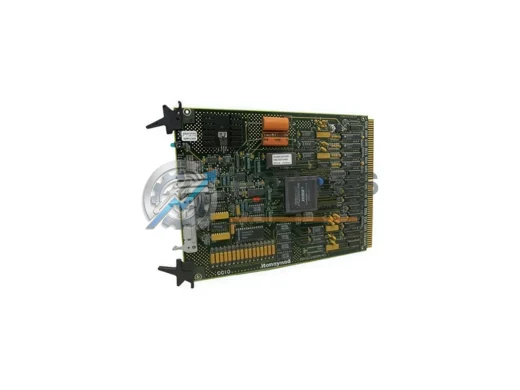
Honeywell
Honeywell 51305406-100 Ruggedized Process Manager Module
51305406-100Honeywell 51305406-100 TDC 3000 ruggedized DCS process manager module. In stock, tested, 12-month warranty. Fast global shipping from TOPNLMS.
Request availability, condition, lead time and export shipping details for GA-USB1-IR.
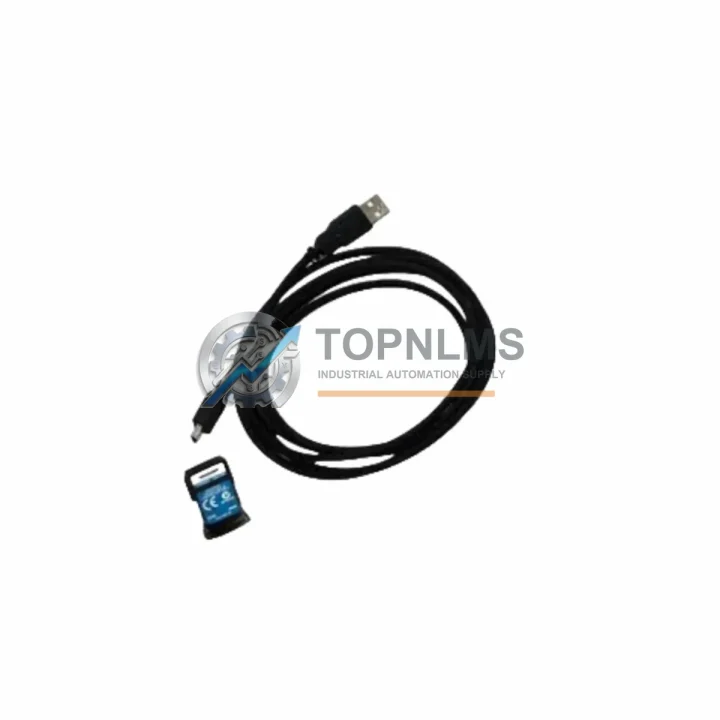
Send this exact part number, quantity and destination country. TOPNLMS will confirm availability, condition and export lead time before quotation.
The Honeywell GA-USB1-IR is the dedicated USB-to-infrared (USB-IR) configuration adapter for the ControLinks BW Series integrated burner control systems, including the RM7800L, RM7840L, RM7890A, and related relay modules. As legacy serial-based configuration tools and older RS-232 adapters reach end-of-life, the GA-USB1-IR provides a direct, plug-and-play upgrade path that eliminates the need for serial port hardware on modern engineering workstations and laptops.
For facilities engineers and OEM integrators managing aging combustion control infrastructure, the GA-USB1-IR is the critical interface between a Windows-based PC running the ControLinks Configuration Tool (CCT) software and the infrared port on the burner control module. Without a functioning GA-USB1-IR, on-site commissioning, parameter adjustment, fault diagnostics, and firmware configuration of the RM7800 family are not possible. Sourcing a verified replacement unit with confirmed compatibility is therefore a high-priority procurement decision.
| Parameter | Legacy / Replaced Item | GA-USB1-IR (This Unit) |
|---|---|---|
| Interface Type | RS-232 Serial Adapter (DB9) | USB Type-A to Infrared (IR) |
| Host Connection | Serial COM Port (requires legacy PC) | USB 2.0 / USB 3.0 (modern laptops supported) |
| Target Device | RM7800 / RM7840 / RM7890 Series | RM7800L, RM7840L, RM7890A, RM7895A, RM7896A |
| Communication Protocol | Proprietary IR (serial-emulated) | Proprietary IR (USB-emulated COM port via driver) |
| Software Compatibility | CCT v1.x (legacy) | ControLinks CCT v2.x and later (Windows 7/10/11) |
| Driver Requirement | None (native serial) | USB-IR driver (included / downloadable from Honeywell) |
| Physical Installation | Fixed serial port on panel PC | Portable; plugs into any USB port, no panel modification |
| Replacement Recommendation | Direct 1:1 replacement for all ControLinks BW Series IR configuration tasks | |
| Warranty | N/A (legacy / EOL) | 12-Month Warranty from TOPNLMS |
A successful migration from a legacy ControLinks configuration setup to a modern, USB-based workflow typically involves more than just the GA-USB1-IR adapter itself. In most retrofit and recommissioning projects, engineers also address the broader control architecture around the burner management system.
When replacing or upgrading the RM7800L or RM7840L relay module, the GA-USB1-IR is used to upload the new burner sequence parameters and verify the safety timing configuration before the system is returned to service. In projects where the entire burner control panel is being modernized, the adapter is equally essential for commissioning a new RM7890A or RM7895A integrated burner control, ensuring that the replacement unit is correctly configured to match the original combustion profile.
Many sites running older Honeywell combustion systems also rely on the S7800A1001 Keyboard Display Module for local parameter viewing and fault acknowledgment. During a migration, the GA-USB1-IR complements the S7800A by providing the deeper configuration access that the local display cannot offer. Similarly, the S7820A1006 Data Control Module is frequently encountered in multi-burner installations and requires the GA-USB1-IR for initial setup and parameter cloning across multiple control heads.
In control cabinet retrofits where the existing wiring harness is being reused, engineers often pair the GA-USB1-IR with a replacement Q7800A1005 Wiring Subbase to ensure that the new relay module seats correctly and that all terminal connections are verified before the USB configuration session begins. For systems that include a BC7000L Burner Control or a 7800 Series Amplifier such as the R7847A or R7861A, the GA-USB1-IR remains the standard tool for reading back the current configuration and documenting the as-found state prior to any hardware swap.
Projects involving communication integration — for example, connecting the ControLinks system to a building automation network via Modbus RTU or BACnet — typically require the GA-USB1-IR during the commissioning phase to set the correct node address, baud rate, and protocol parameters on the burner control module before the network gateway is brought online. This step is critical to ensuring that the SCADA or BMS system receives accurate status and fault data from the combustion controller.
For spare parts programs and planned maintenance shutdowns, procurement teams frequently source the GA-USB1-IR alongside replacement RM7800 Series relay modules, flame amplifier cards, and UV/IR flame detectors to ensure that a complete commissioning toolkit is available on-site before the maintenance window begins. Having a verified, in-stock GA-USB1-IR eliminates the risk of a configuration bottleneck delaying burner restart after a planned overhaul.
Q: Can the GA-USB1-IR be used with Windows 10 and Windows 11?
A: Yes. The GA-USB1-IR uses a USB-to-virtual-COM-port driver that is compatible with Windows 7, Windows 10, and Windows 11 (both 32-bit and 64-bit). After driver installation, the adapter appears as a standard COM port in Device Manager and is recognized by the ControLinks CCT software without additional configuration.
Q: Does the GA-USB1-IR work with all RM7800 Series modules?
A: The GA-USB1-IR is designed for all ControLinks BW Series burner controls that feature an infrared configuration port, including the RM7800L, RM7840L, RM7890A, RM7895A, and RM7896A. It is not compatible with older Honeywell relay modules that do not have an IR port (e.g., R4140, R7140 series).
Q: Is any wiring modification required to use the GA-USB1-IR?
A: No. The GA-USB1-IR is a non-invasive, clip-on or proximity IR adapter. It does not require any wiring changes to the burner control panel. The adapter is held against the IR window on the front of the relay module during the configuration session and removed afterward.
Q: Can the GA-USB1-IR be used to clone configuration from one RM7800 to another?
A: Yes. The ControLinks CCT software supports saving a configuration file from one module and uploading it to a replacement unit. The GA-USB1-IR is required for both the read-back and the write operations. This is the recommended procedure for replacing a failed relay module with a pre-configured spare.
Q: What if the USB driver is not available from Honeywell’s website?
A: TOPNLMS can provide driver installation guidance and sourcing support as part of the after-sales service for this product. Contact us at [email protected] for assistance.
Q: Is the GA-USB1-IR compatible with third-party ControLinks configuration software?
A: The GA-USB1-IR is validated for use with Honeywell’s official ControLinks Configuration Tool (CCT). Compatibility with third-party or OEM-branded configuration utilities depends on whether those tools support the same virtual COM port interface. Consult your software vendor for confirmation.
Every GA-USB1-IR unit shipped by TOPNLMS is covered by a 12-month warranty from the date of delivery. Prior to dispatch, each unit undergoes a functional inspection to verify USB connectivity, IR transmission integrity, and driver compatibility. Units that do not pass inspection are not shipped.
In the event of a confirmed defect within the warranty period, TOPNLMS will arrange a replacement unit or issue a refund, subject to return inspection. Our after-sales response target is within 1 business day for warranty claims submitted by email. We maintain buffer stock of the GA-USB1-IR to support rapid replacement without extended lead times.
For procurement teams requiring documentation, we can provide a test report, packing list, and commercial invoice with each shipment. Export from Xiamen, China is available via DHL, FedEx, UPS, or sea freight depending on order volume and urgency. Lead time for in-stock units is typically 3–7 business days to most international destinations.
For volume orders, spare parts program inquiries, or technical pre-sales questions, contact our industrial automation team directly.
Honeywell 51305406-100 TDC 3000 ruggedized DCS process manager module. In stock, tested, 12-month warranty. Fast global shipping from TOPNLMS.
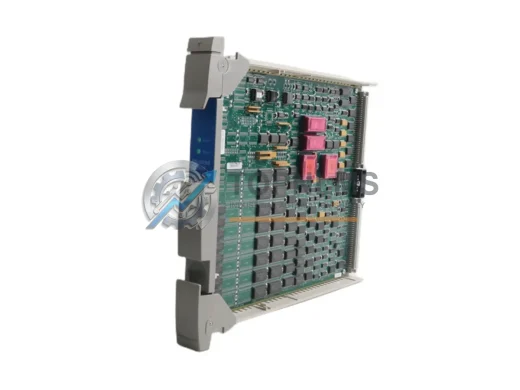
Honeywell 51304518-150 original DCS control module for TDC 3000 systems. Genuine industrial spare for fast replacement, system compatibility, and 12-month warranty. In-stock, tested, ready to ship.
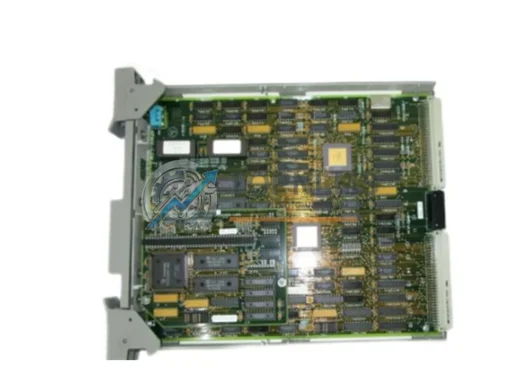
Honeywell 51304518-100 Advanced Control Card for TDC 3000/TPS DCS. Ruggedized for harsh environments. In stock, tested, 12-month warranty. Fast global shipping.
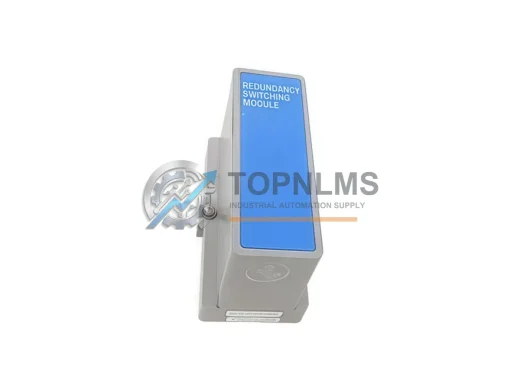
Honeywell 51304338-100 original Experion PKS Redundancy Switching Module. Verified spare, 12-month warranty, fast worldwide shipping. Industrial DCS replacement.
Click Quote This Model and the Part Number field will auto-fill with GA-USB1-IR.