
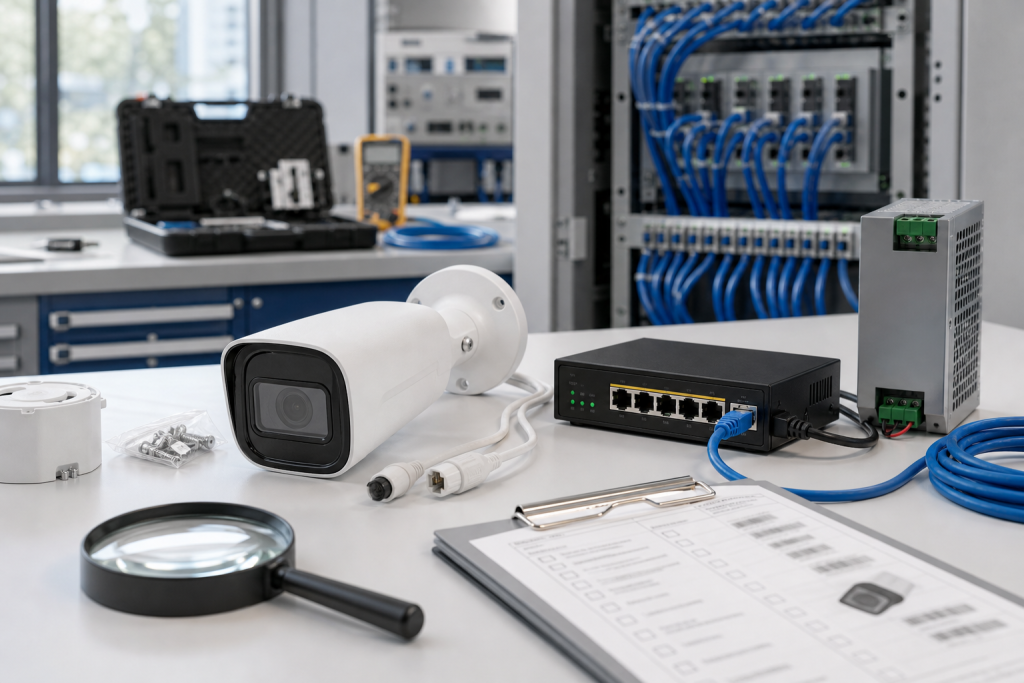
CISA’s June 25, 2026 advisory for the H.VIEW HV-500S6 IP Camera is a good prompt for a model-checking habit that many plants still miss. Cameras, PoE switches, power supplies, mounts, network patch leads, and small peripheral devices often sit at the edge of OT. They may not control the process, but they support visibility, security, remote checks, and incident response. When one becomes vulnerable or fails, a vague RFQ wastes time.
The advisory describes certificate-related upload and command-injection concerns. For TOPNLMS buyers, the important lesson is not limited to one camera model. It is about evidence. OT peripherals need the same model-check discipline as PLC modules, especially when they are installed in cabinets, remote sites, production areas, or safety-sensitive zones.
Peripheral does not mean unimportant
A camera looking at a loading bay, furnace door, pump station, packaging line, or remote utility area may become operationally important during an abnormal event. A PoE switch feeding that camera may be a single point of failure. A power supply, bracket, or cable gland may be the difference between a fast replacement and a second site visit. These items often cost less than PLC hardware, but they can still create real downtime or visibility loss.
TOPNLMS keeps this kind of work in Model Checking because the first problem is usually identity. A buyer says “need same camera” or “need PoE switch,” but the supplier needs model, firmware if known, lens, power method, mount, connector, environment, and delivery date.
What photos should be sent first
For an OT camera RFQ, send the camera label, front view, cable entry, mounting bracket, installed location, power source, and network connection. For a PoE switch, send label, port view, power input, DIN rail or panel mount, and the connected cabinet context. If the device is outdoors, include enclosure and weatherproofing details. If the camera uses a special lens or angle, note that too.
Do not rely on a screenshot from a web interface alone. Firmware and configuration matter, but physical fit and accessories matter just as much. A replacement camera that cannot reuse the mount or cable path may miss the maintenance window.
Condition and kit scope should be clear
State whether the buyer needs device-only, shelf-ready kit, or full field replacement kit. Device-only can work if the plant has verified reusable brackets, power supplies, and cables. A shelf-ready kit should include the most likely accessories. A field replacement kit may need camera, PoE injector or switch, mount, cable gland, patch lead, power supply, and labeling.
Condition should also be written clearly. Factory sealed, new surplus, refurbished, and tested used options do not carry the same risk. For a remote or safety-sensitive location, the plant may prefer a more complete kit with stronger evidence. For a noncritical stock item, a lower-cost tested option may be acceptable.
Use TOPNLMS’s maintenance spares guidance to decide whether the item belongs in routine stock or only in a project-specific kit. The answer depends on consequence, access difficulty, lead time, and how many similar devices are installed.
Keep cybersecurity context useful but safe
If the RFQ is connected to the H.VIEW advisory or another camera security review, say that the item supports a mitigation or replacement window. Do not send credentials, network diagrams, or sensitive configuration. The supplier needs enough context to understand urgency and kit scope, not enough to expose the site.
After receiving the part, check the model, physical condition, mount compatibility, cable connection, power method, included accessories, and packaging. If firmware needs review, attach that note to the spare record. A small label on the carton can save a technician from guessing during a night call.
Where many cameras or peripherals are installed, group them by environment. Indoor clean-area cameras, outdoor cameras, cabinet cameras, remote utility cameras, and production-line inspection cameras may need different kits. The same idea applies to PoE switches and small network devices. A device in a control room may be easy to replace, while one in a high-access or weather-exposed location may need a more complete spare package.
Model-checking should also capture who owns configuration. Facilities, security, IT, and OT teams may all touch camera systems. If the buyer does not know who can restore IP address, credentials, certificates, or recording links, the RFQ should say configuration ownership is pending. That prevents hardware availability from being mistaken for full recovery readiness.
For receiving inspection, open the kit and compare it with the installed device photos before the return window closes. Check brackets, lens type, connectors, power accessories, and packing condition. A small peripheral spare should still be proven complete before it is trusted for an urgent field replacement.
FAQ
Are OT cameras really part of spare-parts planning?
Yes, when they support operations, security, remote inspection, or incident response. Visibility loss can matter during abnormal conditions.
What should I send for an OT camera RFQ?
Send model label, front photo, mount, cable entry, power method, network connection, installed location, quantity, condition requirement, destination, and deadline.
Should PoE switches and mounts be quoted with the camera?
Often yes. Ask whether the plant needs device-only, shelf-ready kit, or full field replacement kit.
Can I include cybersecurity details in the RFQ?
Keep it limited. Mention mitigation urgency, but do not send credentials, sensitive network diagrams, or configuration exports unless a formal support process requires it.
Send TOPNLMS your OT camera or peripheral photos, model labels, kit scope, quantity, condition requirement, delivery location, and deadline. We can help turn a small-device request into a cleaner model-checked RFQ.
© 2026 TOPNLMS. All rights reserved. Official Website: https://topnlms.com Inquiry: [email protected] | WhatsApp/Tel: +86 18359293191