
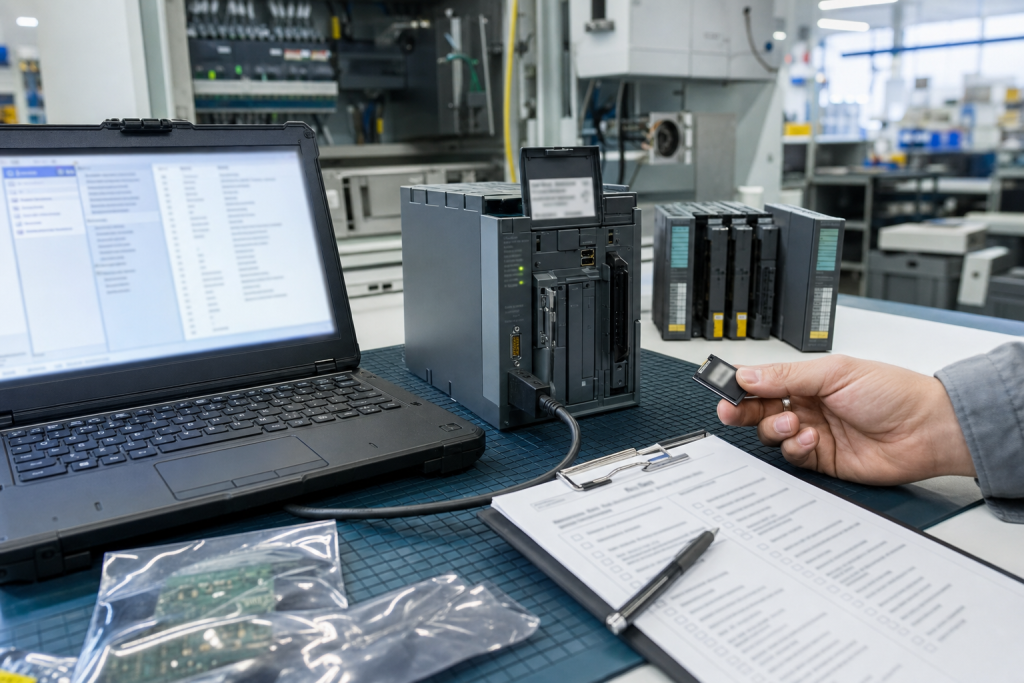
Firmware revision is one of the details buyers often leave out because it feels like an engineering issue. Then the replacement arrives, powers up, and cannot be accepted without extra checks. For PLCs, HMIs, drives, relays, network modules, and gateways, firmware can be the difference between a ready spare and a conditional item.
TOPNLMS focuses on model checking because wrong spares are usually close, not absurd. They share the same family name and may even fit physically. The problem appears when revision, firmware, port layout, communication behavior, or accessory scope does not match the installed system.
Capture firmware without exposing sensitive data
If firmware or software version is safely visible on a label, display, diagnostic screen, or maintenance record, include it in the RFQ evidence. If it is not safely available, write firmware unknown rather than leaving the field blank.
Store these notes under Model Checking so the next buyer knows whether the item was exact, conditional, repair-only, or bench-use only.
Do not send passwords, project files, logic, or sensitive screenshots. A safe version note and backup status is usually enough for sourcing discipline.
Revision and firmware affect substitute decisions
A similar module may be acceptable for a bench, but not for production recovery. Engineering should review firmware family, hardware revision, port layout, communication drivers, memory behavior, and restore steps before approving a substitute.
Use RFQ Tips discipline: tell the supplier whether substitutes are allowed, whether exact match is required, and whether the item is for emergency replacement or planned stock.
When the version is unknown, the quote should say conditional. That protects the buyer from treating a guess as an approved spare.
Make version checks part of receiving
Receiving inspection should compare the delivered revision and visible firmware evidence against the approved quote. If the version was not confirmed before shipment, keep the item flagged until engineering reviews it.
Save received-item photos and approval notes. A confirmed match becomes useful history; a rejected item becomes an equally useful warning.
The goal is not to slow procurement. The goal is to remove avoidable rework before the part is needed during a shutdown.
Procurement checklist
A good RFQ separates immediate replacement, planned shelf stock, repair exchange, test-bench hardware, and possible substitute. Those needs should not be mixed in one vague request. Immediate replacement needs dispatch certainty and accessory completeness. Planned stock can allow more time for condition comparison. Test hardware may be useful without being approved for production. A possible substitute needs engineering review before it is compared with an exact match.
Ask for actual photos, visible labels, port views, accessory scope, condition language, warranty terms, and realistic shipment timing. Compare device-only quotes against field-ready kits carefully. A low price becomes expensive when a missing connector, terminal plug, cable, memory card, license device, power supply, mounting part, or configuration owner forces a second shipment during the maintenance window.
Receiving inspection should mirror the RFQ. Confirm model, revision, ports, power input, accessory count, packaging, visible condition, and included documents before the item enters stores. If firmware, software, backup, or approval status is unknown, mark it unknown. Clear uncertainty is safer than quiet confidence that surprises the next technician.
Keep the record useful
After the order, save the original RFQ photos, supplier photos, final quote, received-item photos, and engineering comments together. That file becomes the next buyer’s starting point. It also helps maintenance when the same platform appears in a later outage, shutdown, modernization review, or support discussion.
Use simple status labels: exact match, possible substitute, repair option, test bench only, rejected, or engineering review required. A conditional spare should not sit on the shelf pretending to be an exact replacement. Stores staff and night-shift technicians need the same clarity as the engineer who approved the quote.
Review the record after the next field repair. If a cable, backup file, license note, terminal plug, network setting, or configuration owner became the bottleneck, add that lesson to the standard kit. Spare planning improves when purchasing evidence and repair evidence are allowed to meet.
One practical habit is to attach a decision owner to every uncertain item. The owner does not need to solve the whole lifecycle problem immediately, but someone should be named for compatibility review, backup validation, substitute approval, or receiving inspection. Anonymous uncertainty is what turns a normal spare request into an emergency meeting.
The same record should also say what not to do. If a module is not approved for production, if a panel is only suitable for bench testing, or if a server image has not been restored, write that plainly. Clear limits protect the plant just as much as available stock.
FAQ
Is firmware always required for an RFQ?
Include it when safely known. If it is unknown, state that clearly so the offer can be treated as conditional.
What if two modules share the same main part number?
Check suffix, revision, ports, power, accessories, and firmware-related notes before treating them as the same spare.
Can a supplier decide substitute approval?
A supplier can suggest a substitute, but engineering should approve production compatibility and acceptance requirements.
What should TOPNLMS receive for checking?
Send safe label photos, revision details, firmware notes if available, port views, accessory needs, condition preference, destination, and deadline.
Send TOPNLMS your model labels, firmware uncertainty, accessory needs, and deadline before buying. A short version check can prevent a wrong spare from reaching the shelf.
© 2026 TOPNLMS. All rights reserved. Official Website: https://topnlms.com Inquiry: [email protected] | WhatsApp/Tel: +86 18359293191