
An on-machine I/O spare can be physically correct yet arrive with a firmware revision that creates avoidable security work during the next shutdown. The right response is not to reject an entire product family or assume that sealed stock is current. It is to make the exact catalog number and firmware evidence part of receiving acceptance.
Rockwell Automation published security advisory SD1801 on October 13, 2026 for specified 1732E ArmorBlock I/O products. Its two vulnerability entries have different catalog-number scopes. For a maintenance buyer, that detail is more useful than a headline that simply says ArmorBlock is affected.
Read the two affected-product lists separately
The advisory associates CVE-2026-12655 with a web-server authentication issue and CVE-2026-12656 with a network-storm denial-of-service issue. It lists firmware 3.012 and earlier as affected and 3.013 as corrected for the specified products. Those statements should be applied to the relevant catalog list, not extended to every device whose name begins with 1732.
For example, 1732E-16CFGM12P5QCWR appears in the advisory’s list for CVE-2026-12655 but not in its separate CVE-2026-12656 catalog list. This is a reason to avoid copying the second issue’s recovery description into every spare request. The advisory marked both issues as not known exploited at publication; that is not a guarantee about future activity.
This article uses the manufacturer’s notice as reviewed on October 20. Recheck its current revision before carrying out maintenance, since affected-product information and corrective guidance can change. Do not rely on an archived summary when approving a production change.
Give each spare an acceptance identity
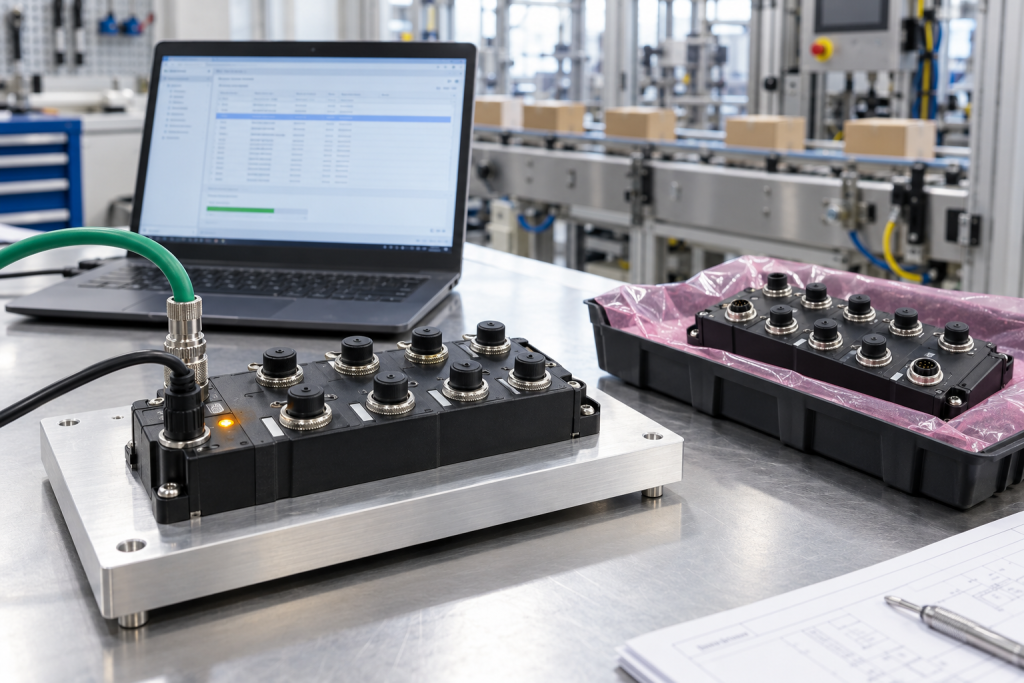
The 1732E-16CFGM12P5QCWR ArmorBlock spare listing provides a relevant product reference for this review. The listing does not establish the firmware in a particular offered unit. Ask for the actual catalog number, serial identification, hardware information and installed firmware evidence before deciding whether the unit is ready for issue.
Keep three dates distinct: when the unit was manufactured, when its condition was inspected and when its firmware was verified. A recent invoice or inspection photograph does not demonstrate that the software state is recent. Conversely, an older manufacturing date does not prove that a unit has never received an approved update.
The evidence must remain tied to the delivered unit. If a supplier provides a screenshot, request enough identifying context to connect it to the shipment. A screenshot from another module can demonstrate a procedure, but it cannot establish the condition of the spare being purchased.
Separate purchasing acceptance from the firmware change
A buyer can require revision evidence without instructing an uncontrolled firmware update. First determine what the site accepts and who is authorized to perform any change. Then establish the manufacturer’s permitted procedure, the necessary tools and the compatibility requirements for the installed system.
Where an update is needed, perform it within a controlled maintenance process, preferably on an appropriately isolated test setup before deployment. Preserve the existing configuration and define how the unit will be identified, verified and released afterward. Do not connect an unverified spare to a production network merely to find out what firmware it contains.
The acceptance record should distinguish supplied-as-found condition from approved final condition. This is useful even when the supplier performs the update: the plant still needs evidence of what was done and what was checked, rather than a broad assurance that the unit is secure.
Check the machine boundary before returning the spare to service
On-machine I/O sits close to the process it observes or controls. A replacement can affect device identity, communication establishment and the interpretation of input or output states. Security correction therefore belongs alongside the ordinary commissioning checks, not outside them.
Plan the work with the machine owner. Record the expected configuration, network identity and application behavior using the approved engineering package. Establish the safe state of connected equipment before intrusive work. Do not improvise output tests or assume that an unconnected test rack reproduces every production condition.
After the approved change, verify the exact firmware, configuration integrity and the functions required by the machine. Record the test environment and limitations. A successful update utility message is evidence of one operation, not complete acceptance of the installed application.
Keep compensating controls and replacement decisions honest
If immediate correction is not feasible, ask the site’s OT security and automation owners to assess the manufacturer’s guidance, network exposure and operational constraints. Document the interim decision and review date. Do not advertise a network restriction as a universal fix or invent a workaround that the manufacturer has not validated.
Likewise, an advisory does not automatically justify buying a different product family. A replacement architecture can introduce compatibility and commissioning work of its own. Compare a controlled corrective action with any proposed replacement on the basis of actual support, downtime requirements and application evidence.
For stores, the practical outcome is a release gate: a unit whose identity or software state has not been established stays outside approved ready stock. That avoids discovering the uncertainty only after a production failure creates pressure to install whatever is available.
Questions for the spare review
Are all 1732E models affected by both issues?
No blanket conclusion should be drawn. Use the separate catalog lists in the current advisory. The model discussed here appears in the authentication-issue list, not the separate network-storm list.
Does unopened packaging prove corrected firmware?
No. Packaging condition does not establish software revision. Obtain evidence for the particular unit and maintain that evidence through receiving and stock release.
Should purchasing ask the supplier to update every unit immediately?
Purchasing should specify the required evidence and acceptance state. Any update needs a permitted procedure, compatibility review and authorized responsibility, rather than an informal instruction attached to an urgent order.
Can we close the issue after checking the revision number?
The revision check is necessary but not the entire commissioning scope. Confirm the approved configuration and relevant machine functions, and retain the record of any remaining limitation.
Send TOPNLMS the complete catalog number, quantity and required firmware evidence through the industrial I/O sourcing inquiry. The quotation can then distinguish hardware supply, documented software state and any separately agreed validation work before dispatch.
Image: AI-generated editorial illustration, not an exact product photograph or installation reference.
© 2026 TOPNLMS. All rights reserved. Official Website: https://topnlms.com Inquiry: [email protected] | WhatsApp/Tel: +86 18359293191